Enter Space - Rclone File Provider for iOS and macOS

Hey everyone!

I wanted to share a project I've been working on called Enter Space - a native iOS and macOS app that brings rclone's powerful remote capabilities directly into Apple's Files app and Finder.
What is it?

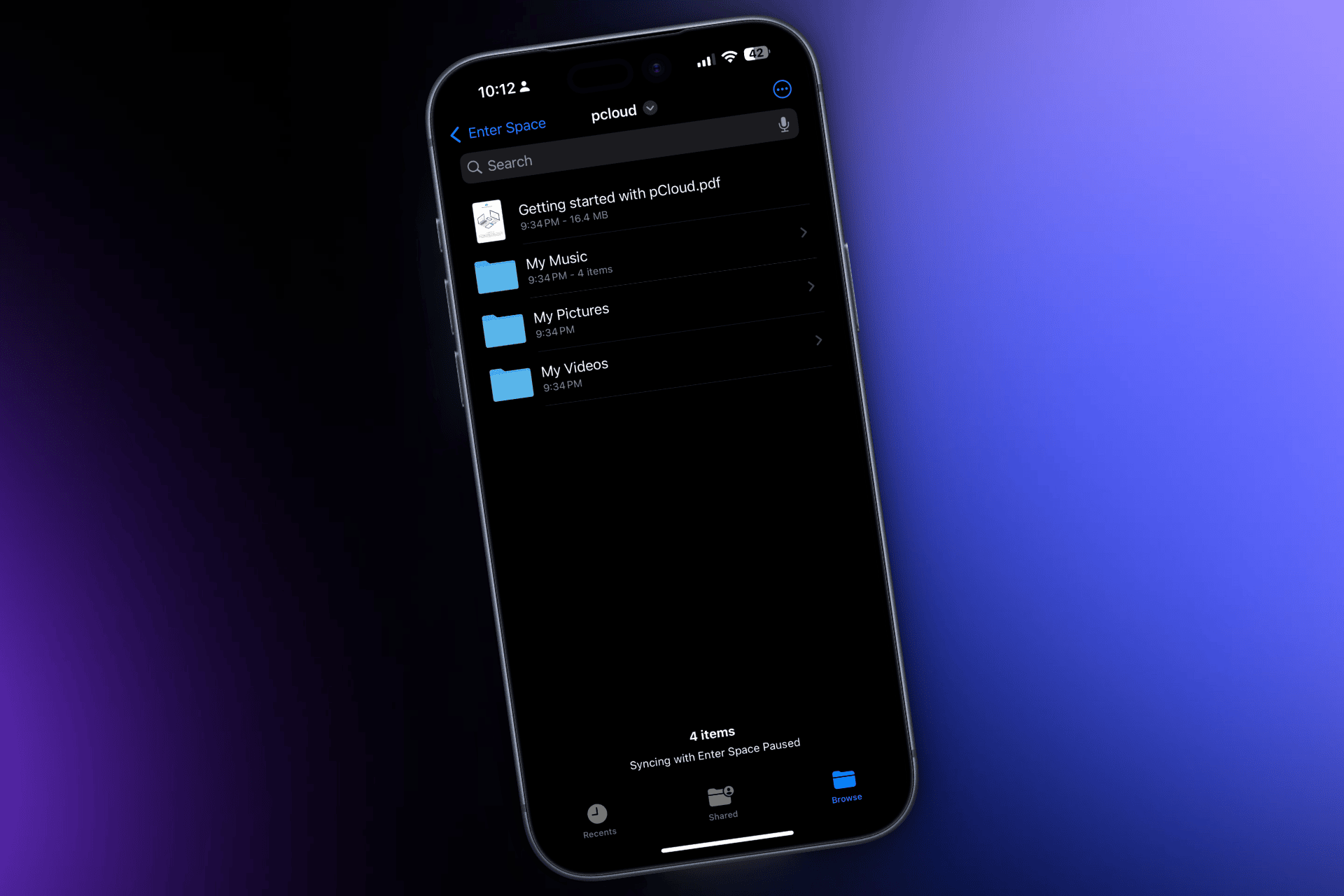
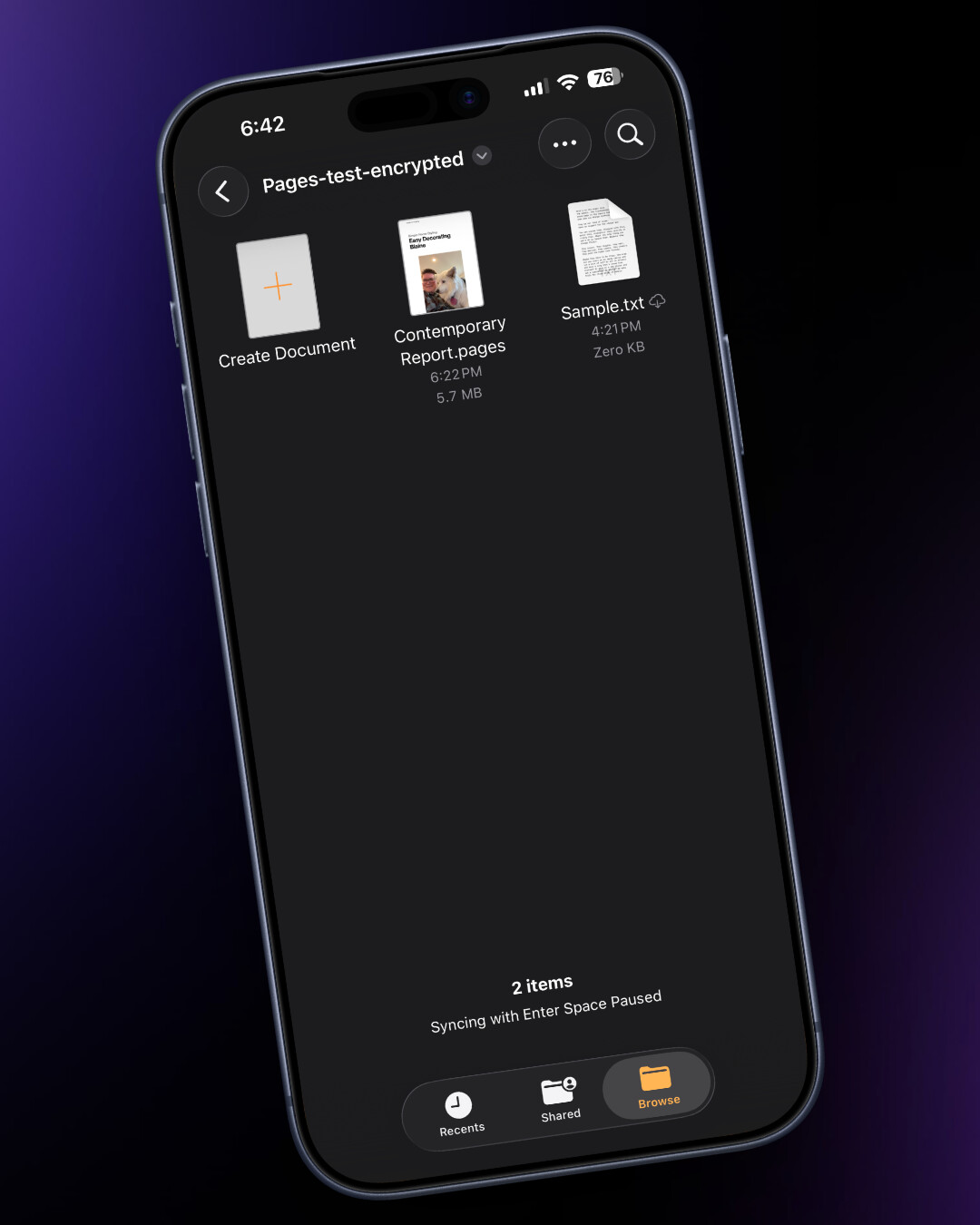
Enter Space is a File Provider extension built on top of rclone. It integrates with Apple's Files and Finder apps, letting you browse, read, and write to your cloud storage as if it were a local drive plugged into your device. Copy files from your iPhone to a cloud, from your Mac to a remote, or even between two different cloud providers directly.
Key Features

Native Files & Finder Integration

Full read/write access through Apple's File Provider APIs. Drag and drop, copy, move, rename, delete - it all works like you'd expect with any mounted drive.

Simple Remote Configuration

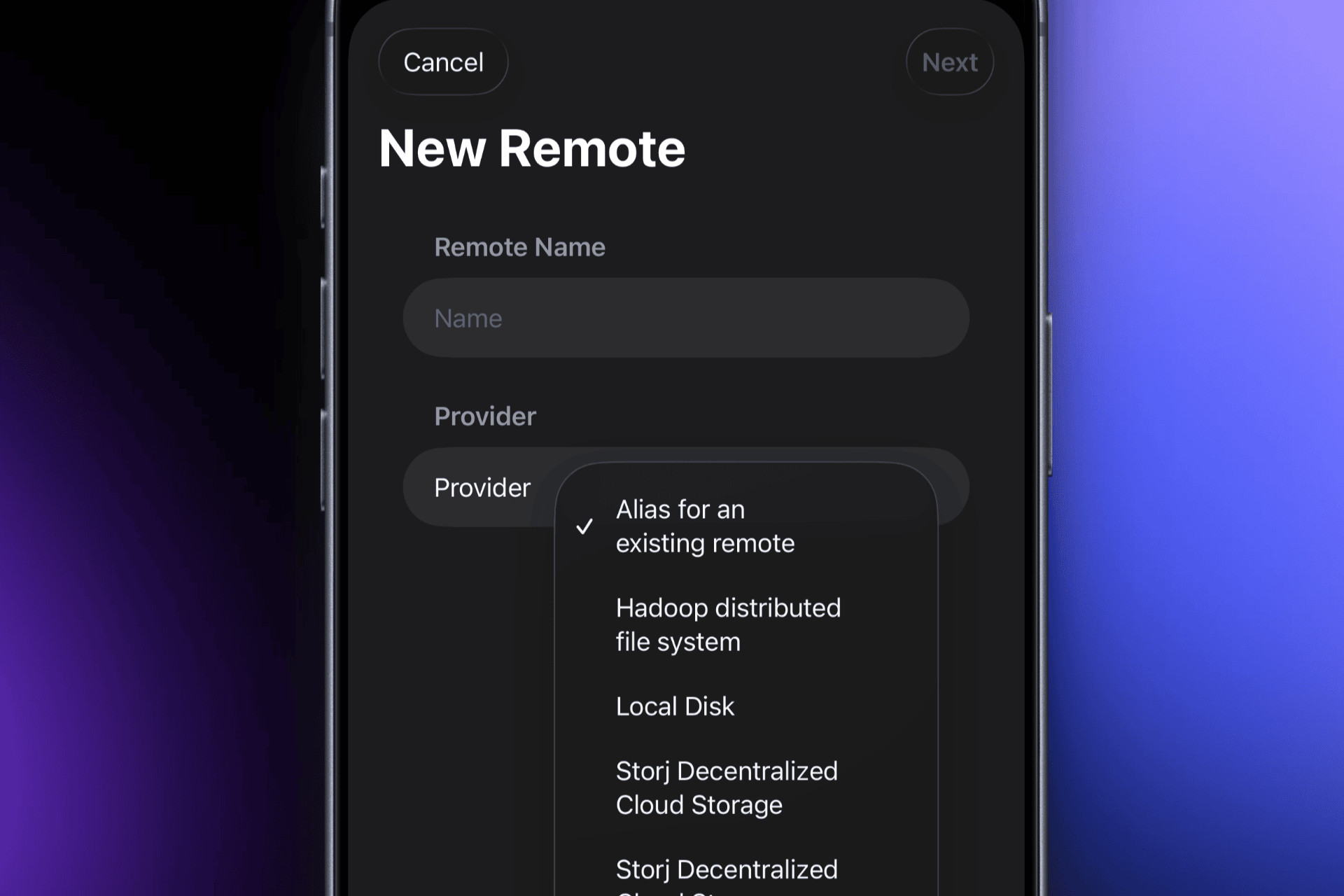
A straightforward UI for setting up new remotes without needing to touch the command line. Great for folks who love what rclone can do but prefer a more visual setup experience.

Scheduled Sync Tasks

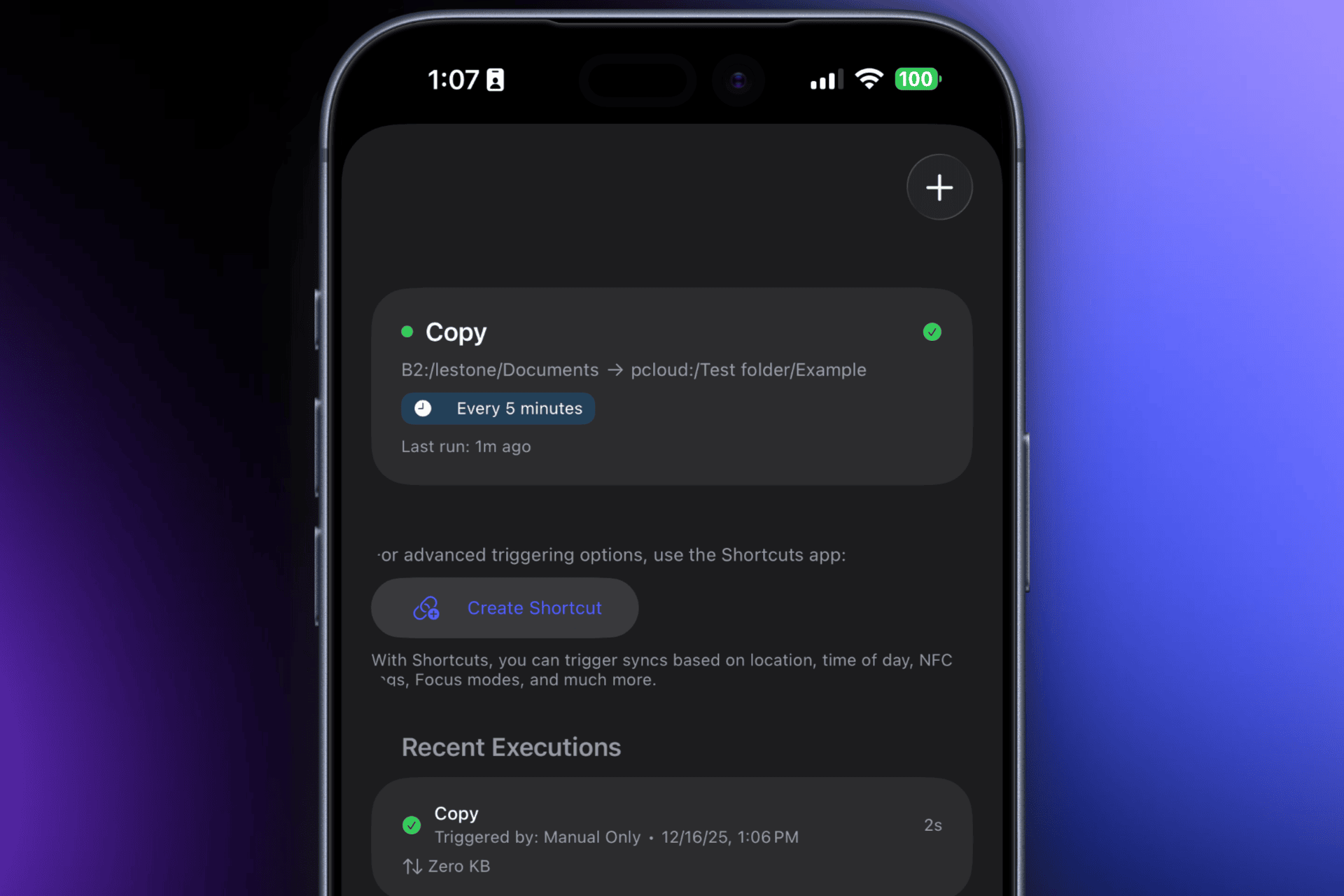
Set up automated sync operations with filtering options (include/exclude patterns, file size limits, etc.) all configurable through a documented interface. These scheduled syncs can also be triggered via Shortcuts automations for more advanced workflows.
Media Gallery & Code Editor

Built-in tools for browsing photos/videos and editing text files directly within the app.

Encryption Support

End-to-end encryption options for those who need their data encrypted before it ever leaves the device.
A Few Notes

This is a solo developer project - just me maintaining it. I built it because I wanted a clean, Apple-native way to use rclone's capabilities on my own devices. If you run into any issues or have questions, feel free to reach out via email at enter-space@wemiller.com.

Links

Thanks for checking it out! Happy to answer any questions.
2 Likes

hello, where can we find the source code?

Seeing as it’s a paid app (primarily to support continued development and offset Apple Developer License Fees), and it’s a GUI built around Rclone (which has source code freely available already), Enter Space’s source code will not be made publicly available but can be shared privately if needed for security or other auditing requirements. However the Code Editor(KeyStone on GitHub) and Media Gallery(MediaStream on GitHub) components have been made open source for other app developers to utilize if they choose to.

ok. good luck and success.

1 Like

That looks great!

Since I can’t find a trial version, and 18 € is a bit pricey for a test, please allow for a question upfront.

Do I understand this correctly: Enter Space.app integrates itself into Files.app in a way that will allow other apps to read and write from its remote? Transparently, even if the rclone remote is encrypted?

Say, I would like to work with the iOS version of Pages.app to read and write to a document that is on an encrypted Microsoft OneDrive share? I could then configure the Enter Space.app to integrate the OneDrive remote with the appropriate encryption keys, and it would show up as Files.app “Location” (Apples’ wording, not mine) so I could navigate there from the Pages.app and do my thing?

I’m asking since OneDrive integrates itself into the Files.app as well, albeit obviously with no access to the [rclone] encrypted folder - and that would be a USP for me.

Thank you for your time.

Hello, Thank you the well written question! Yes, the Enter Space app lets you have full read/write access from the Files app or any app that can talk to the Files app such as Pages. This means that if you have a Remote configured in Enter Space for One Drive you can use the Pages app to store the .pages documents inside your One Drive.

I also wanted to test your use case and found an issue with encrypted remotes on the current build on the App Store that already has a fix being prepared for the App Store as I write this. The issue was due to Apple’s strict Memory limitations for File Providers which Enter Space uses to bridge the Files app on iOS and Rclone running inside Enter Space. With this solution in the next update, you will be able to use Pages to access .pages files stored in an rclone encrypted remote such as one setup in Microsoft One Drive just as you could do so using iCloud Drive natively on iOS already.

The Price of Enter Space is set competitively against other software solutions that are macOS only at this time and because Enter Space brings new features not available from any other iOS app I decided to not offer a trial version. I hope you will try Enter Space out someday and find as much utility in it as I do everyday.

Let me know if you have any other questions and I will do my best to answer them.

1 Like

Buyed :slight_smile: Seems working fine.

1 - Progress bar of transfers its mandatory ! :smiley:

2 - Its not possible add RCLONE Crypt ?

1 Like

Can you clarify if you're not seeing progress bars for transfers? They should be showing for all parts (Files/Finder integration, Scheduled Syncs, In App actions too) If they are not showing I can fix that in an update because I agree totally needed.

It is definitely capable of adding an rclone crypt remote in a variety of ways:

In the app you can right click or tap and hold any folder and use the Create Encrypted Remote shortcut to map a folder on any remote to be the encrypted location. Please note this path does not support a custom SALT

Use the Add Remote Plus menu to create an “Encrypt/Decrypt a remote” type of remote and properly configure it like you would fill out the destination with the cli just filling out the fields in the form and it will setup a new remote to access the encrypted files as if they were right on your device.

Lastly if you open the App Documents folder in app and edit the rclone.conf file you can paste an already configured encrypted remote from any rclone.conf file you may already have setup.

A bug fix was just submitted to Apple for review that improves the reliability of Encrypted Remotes being accessed from the iOS Files app. Please allow up to 72 hours for Apple to Approve it.

This bug has been fixed and encrypted remotes are working nicely for iOS again with latest App Store Update

Also Rclone was upgraded to 1.72.1 in the latest version.

The one-time price includes all planned updates for the foreseeable future and won't be lowered. It's already a fraction of the price of comparable software, of which is Mac-only and supports far fewer clouds than Enter Space can. The price may increase slightly down the line as a heads up.

Another member asked a good question regarding the privacy of my Enter Space App and whether it communicates with a server I manage? Here is the response:

The app collects zero usage or tracking data. All communication happens entirely on-device via a direct rclone library integration to your chosen remotes. It runs locally with no server infrastructure involved making it functionally identical to using rclone from the CLI. Whether you're accessing a private server or your personal cloud account, your data flows directly with no intermediaries.

Good eye on the progress indicators not being accurate from the Files app or Finder. A fix for that is being submitted as we speak.

Why does the app send data to Google Analytics, Google Ads and other services? Where is the privacy policy?

The app store says you collect diagnostics but not analytics

The app does not collect any data. the App Store links to my websites privacy policy which is a bit more inclusive but currently is using Cloudflare for visitor traffic analytics. Again the App Store page is accurate in that I collect no information from my app directly. if your seeing it show collect diagnostics that is because your device has opted in to providing that to developers and apple. It’s completely optional and can be changed in your devices settings app.

Very interesting!

Can I use an existing rclone config file or do I need to add all remotes manually again?

And if I buy on my iPad, I also could use it on macOS?

Does this app allow you to stream pictures & videos without having to download them locally first? I.e only using RAM as a buffer?

The short is Yes to both!

In the app you can modify the rclone.conf file and paste an existing content from your other device that already has rclone configured. It uses the same exact format and if you mess it up it has fault tolerance to revert it after 3 failed startups ensuring you don’t get permanently stuck. Things to note if you use remotes that use oath or rotating credentials and either device is used when rotation happens the auth will be broken for the other device. That’s just the nature of rolled tokens and nothing I can do to mitigate it. In those events you will have to re auth the device that wasn’t able to roll its credentials.

Any rclone conf values supported in 1.72.1 should work.

And yes buying on iPad or macOS or iOS will grant access to your Apple ID for all other devices associated with your account following apples limits (10 devices total I think?)

1 Like

That is something Enter Space does not support for a couple reasons.

The iOS Files Provider has incredibly strict memory limits and so most common media files today won’t fit.

With that limit in mind the rest of the app was built with that in mind and given how even though it can fit in memory on macOS it File providers cannot stream files anyways as it’s against the design Apple has in place.

Not planned as a fully supported effort but by contrast the internal media gallery uses the rclone rcd server http serve for calls and it utilizes range headers to playback media it would kind of stream it in that case.

do note the media gallery automatically generates thumbnails and other metadata to disk to speed up future requests too and the current version switches to keeping even those thumbnails encrypted to avoid snooping for any apps that bypass apples inherit sandbox restrictions ensuring user privacy. That version is part of a migration to keeping secret like things protected with iCloud Keychain which will harden the overall security of Enter Space beyond just trusting local device is private.

So TL;DR; through Files/Finder apps no it downloads to disk first, through Media Gallery inside the app: sort of but some files get cached to disk and now is encrypted for privacy.

Thank you Blaine. I am happy to purge the last remnants of Microsoft apps (nothing againt MS; just a personal choice).

I waited until I saw the updated version in the App Store and hit purchase - alas it works only with iOS 26, and I have yet to upgrade.

Please keep up the great work!

So, the Enter Space.app retrieves each item from OneDrive to the device's local cache (on iPhone or iPad) and presents it to the app that requires it, correct?

Regarding space limitations, are there certain file sizes that cannot be accessed this way?

I assume that files are removed from the local cache once the consuming app releases them. What if an app is switched away from and retains access to the file, while another app requests different files? Is there a limit for the Enter Space.app that prevents it from opening another file (and another ona, and another one) until one has been released? (I am not concerned about simultaneous access to the same file; I am wondering how many files can be open at one point.)

I apologize for the awkward phrasing.

Thank you for your support and I totally understand that desire. My goal with Enter Space is to definitely bring some freedom of choice to Apples Ecosystem glad you plan to give it a try.

Yeah, iOS/macOS 26 are a requirement now and I don’t have a way to test reliably on older operating systems at this time to try and bring support back for both versions.