The way the Files app and Finder app works matches how iCloud Drive works in that everytime a file is accessed that is not already downloaded locally it will first download it then allow you to make changes and when changes are made it uploads the entire file back to the cloud. This means that if your making changes to a lot of small files or one massive file the slowest part is the sync up of changes that said the Files and Finder apps automatically handle retries and failure cases for you so if you give it enough time it should be able to handle even stress tests.
The same approach is used most places for items in the Main app where it downloads first and then shows it. The main app cleans up any downloaded items as soon as you stop accessing them.
If you use the media gallery feature it should operates a little differently. It streams the content best it can and generates encrypted thumbnail files that remain cached to disk for the most part but are really small overall. If it becomes an issue I can always add an option to clean those up.
there is not a limit I enforce for file sizes at all and everything is written to be super memory optimized to avoid crashes. In the several months my app has been on the App Store not a single crash has been reported.
As for opening the file on several devices at the same time. Yeah that could cause an issue I'd imagine especially if the changes are not able to be synced in time. my app does not implement any type of locking mechanism but it is something I can look into if there is need of it. The locking would prevent the file from being opened on multiple devices at the same time as a way to avoid the issue.
Clear the runway and cue the countdown Enter Space v3.0.0 is almost here, and it’s packed with upgrades that make backing up, syncing, sharing, and enjoying your media feel downright futuristic.
What’s landing in 3.0.0
Photos Library backups anywhere
Back up your Photos Library to any destination you choose, including Encrypted Paths.
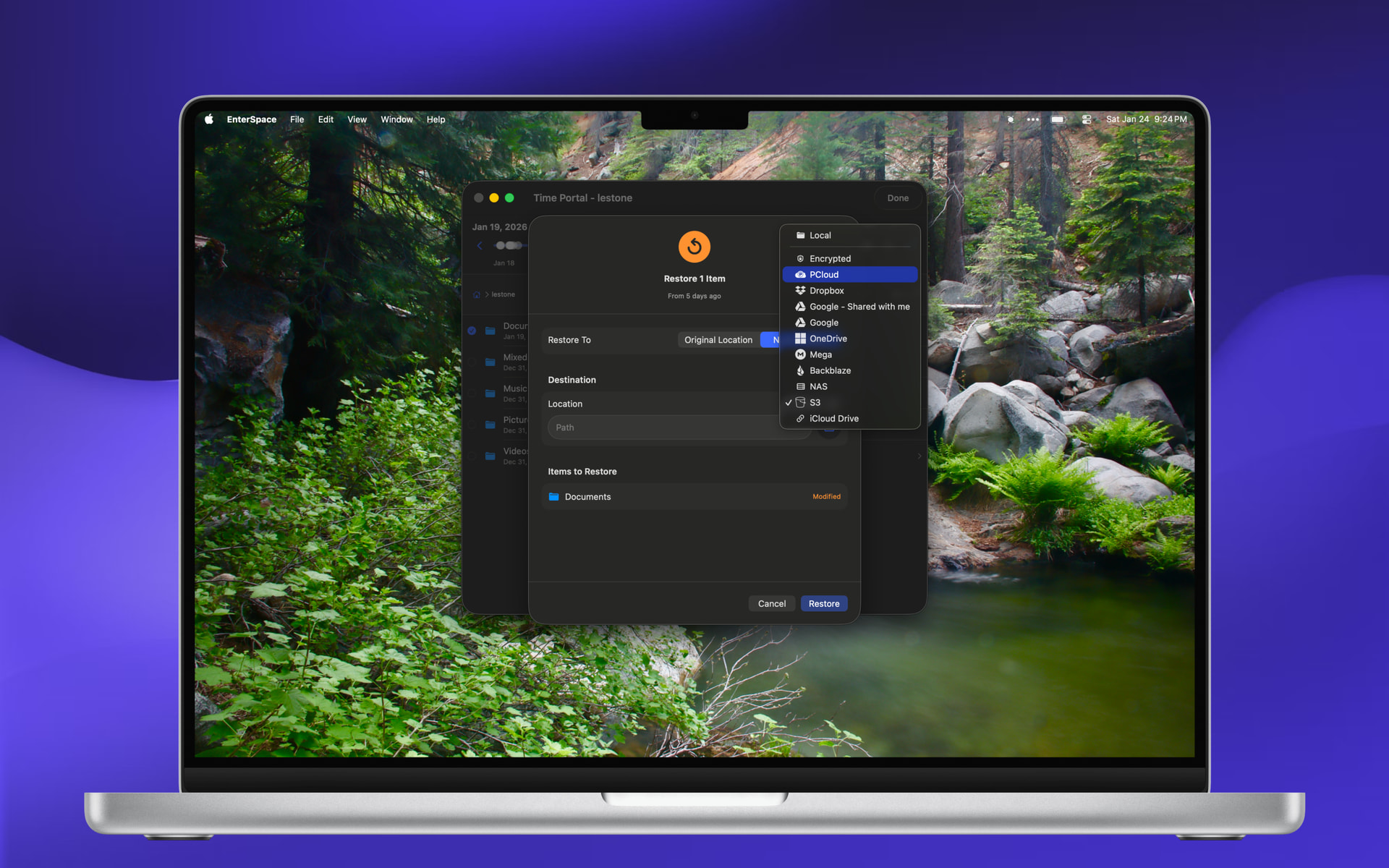
Time Portal
Browse through and restore older versions of files and folders from incremental backups.
Enable Time Portal per remote when you want it.
Public Links
Create Public Links to files on clouds that support them sharing made simple.
Edit Remote Storage Configurations
Update existing remote settings (including re-authentication) without rebuilding everything.
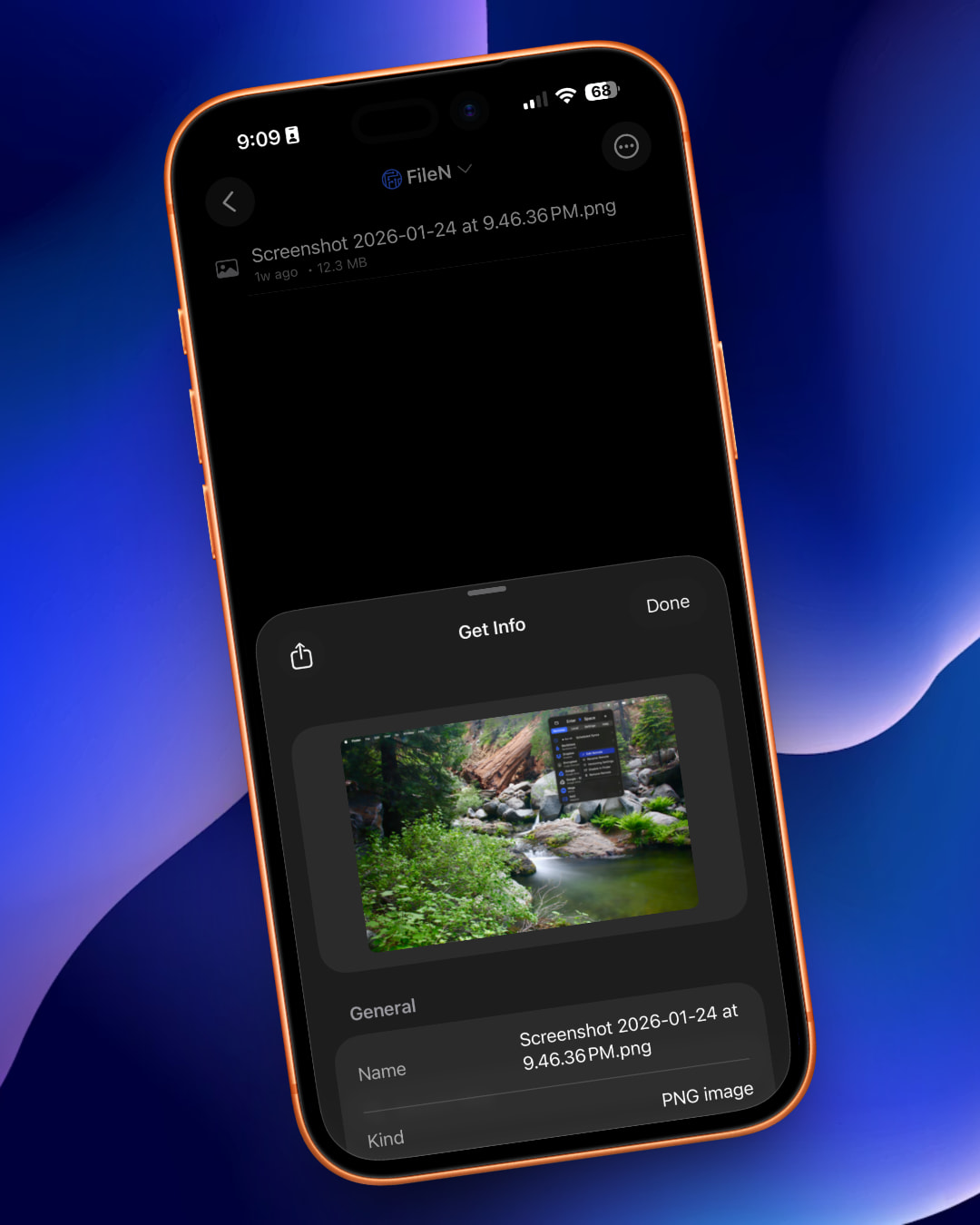
New Get Info for media metadata
View rich media details like camera info, capture location, and more.
RAW image support in Media Gallery
View Apple-supported RAW formats right in the gallery.
Audio playback in Media Gallery
Play audio files with album artwork included.
Background playback
Keep listening while you multitask Media Gallery supports background playback.
File Locking
Protect against editing a remote file that another device/user may have already modified.
Clear Cache button
Clean up cached files on demand whenever you want.
Bi-directional Scheduled Syncs
Scheduled syncs now work both ways set it and let it run.
Context menus in Files/Finder
Quick actions for:
Creating Public Links
Opening items in the Code Editor
Opening items in the Media Gallery
(On iOS, use the Open In menu.)
Welcome screen
Friendly first-time setup guidance for new explorers.
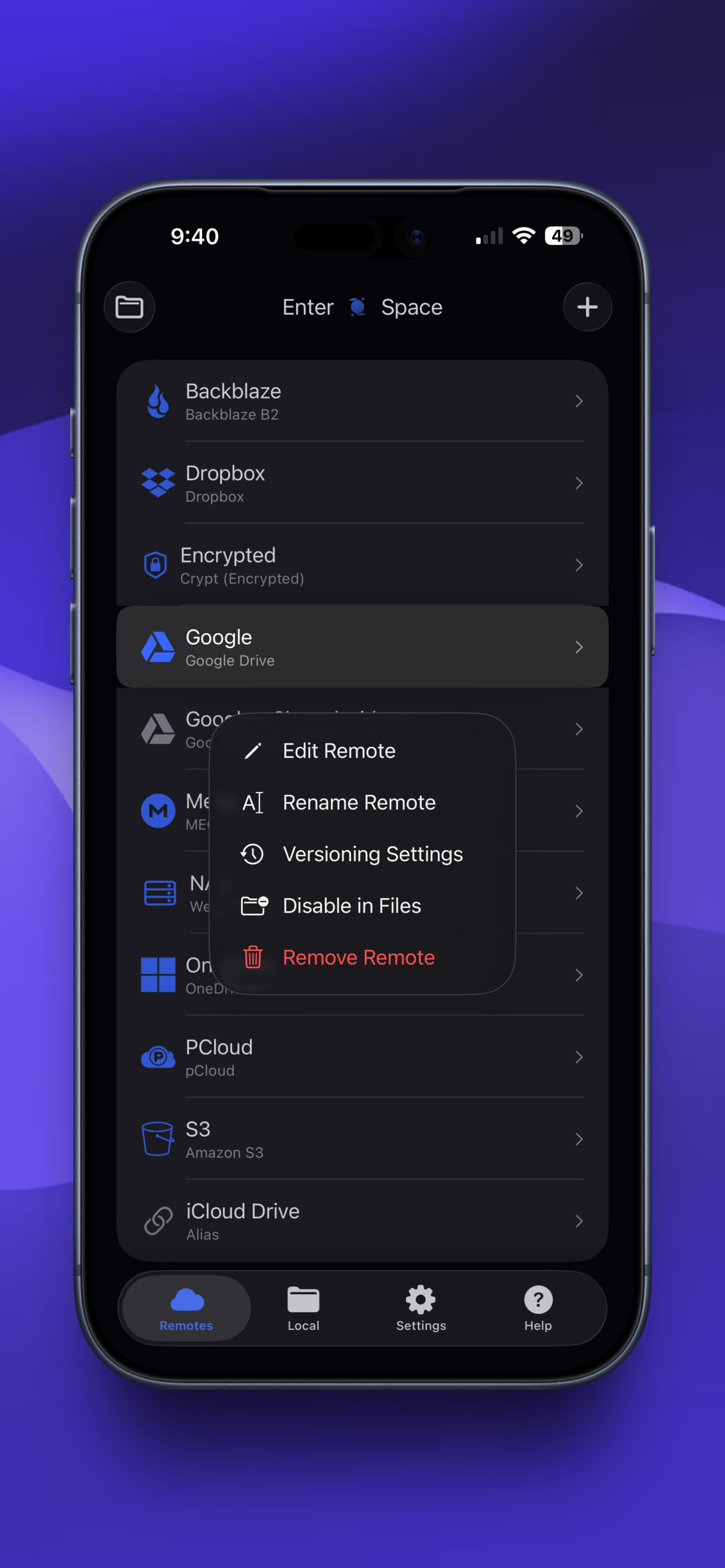
Rename remotes
Finally: name your remotes like you name your ships.
Polished for launch
Improved Add/Edit Remote UI for configuring some remotes
All-around design enhancements for a smoother ride
Enter Space 3.0.0 is nearly ready for liftoff. Which feature are you most excited to use first: Time Portal, Photos backups, or bi-directional scheduled syncs?
This is exciting. I have been wishing for a better rclone integration on iOS. In fact, I am in the middle of vibe coding a wrapper that uses a file provider to do the server interface and then wraps the crypt part alone. It is unlikely to be great or pretty, especially since I really do not know any Swift so it is all “vibes” but it was, hopefully, going to get the job done.
Question/Confirmation: Does you app compile rclone to iOS and then use the API? So is native rclone code doing the heavy lifting? Or did you implement crypt, etc from scratch?
Second question, do you clear state how data is used? We are trusting you with our encryption!
First the most important question. I clearly state in my privacy policy listed on the App Store and my apps websites that my apps do not collect anything. I don’t have any server infrastructure setup. Everything runs on device using a gomobile compilation of rclone into a swift compatible framework. There are a couple modifications that were needed for it to work within the File Provider Memory Limits of 20MB including but not limited to using the underlying rclone go methods directly when called from the File Provider. This is just one of the many tricks that make it work nicely! I might write a security approach article at some point if there is enough interest. Do know I have over 13 years professional experience designing and building advanced software solutions and the utmost care has gone into ensuring user privacy above that afforded from Apple’s inherent software security approach. I personally do not collect any information from you but know Rclone connects to a variety of cloud storage providers that each have their own policies with what they will do with content stored with them. My app inherent that same concern so I encourage you to use storage you trust and possibly even leverage the Rclone Encryption at the same time.
A summary of the security approach in use for Enter Space:
Entire App utilizes a device unique random internal passphrase that automatically rolls every hour
This passphrase is used to secure the main app’s Rclone RCD Instance that uses a range of open ports on a first available gets used approach.
This server is bound to 127.0.0.1 which means that it is not exposed to the devices LAN or WAN and only other software running on the users machine could possibly communicate with it.
iCloud Keychain is utilized for storing anything secret related so that syncing for example the rclone.conf over iCloud to your other apple devices can utilize Apple’s proven secure approach that leverages the Security Enclave hardware level encryption
All usage of tmp and other disk based storage encrypts anything written with a key derived from the rolling app wide passphrase.
The Media Gallery download feature that enables background audio playback in version 3.0.0 stores the media files decrypted since playback needs access to decrypted files. These files are still protected by Apple’s Data Protections including App Sandboxing.
This means Drafts from the Code Editor are encrypted and stored on device, Media Gallery Thumbnails and metadata are encrypted and cached on device, every communication between the File Provider and the Main app is encrypted. all with an automatic rolling passphrase that can only be accessed in theory by malicious software running in parallel to Enter Space on your device but if that kind of software is present you will have bigger issues most likely.
Im using rclone as close to upstream main as possible. I don’t want to maintain a massively different fork so no I do not rebuild any rclone code in native swift. it uses an extremely close resemblance to rclone’s official GitHub repo built into a custom gomobile xcframework with some custom methods to facilitate communication with the rclone go code from swift.
since rclone now supports filen provider, which is also an client-side encryption storage provider, in this new 1.73 version, does it mean that filen could be integrated to iphone via ‘Enter Space’?
since filen iphone app is garbage, if your app does support filen, i recommend you to present it within filen reddit, because everybody there is frustaded with the actual filen usage within iOS.
just waiting for you confirmation of supporting this new rclone version to hit the buy button
When I start work on the next version in the next few weeks. I’ll be sure to update the Rclone library to latest so it should have support at that time. I’ll keep you posted.
Rclone version 1.73.0 and FileN support, Soon… that said FileN does not function within the strict memory limits of Apple’s File Provider Requirements so for now I had to block it from the Files app and the Finder app integration. It also seems rather slow if I’m being honest but I added the support that works for now inside the Enter Space app directly. Submitting v3.1.0 to the App Store for review now!
Enter Space for macOS just got a major performance boost improving overall app responsiveness especially when active scheduled syncs are currently running. v3.1.1 is a nice Quality of Life improvement focusing on speed and performance for power users on macOS. iOS will receive some added boosts when opening media items in the media gallery too. Thank you to the many users who purchased Enter Space, be sure to give it a 5 star review on the App Store if you like it and also tell your friends about it if you think they might find it useful! I appreciate you all for helping drive the future of Enter Space in a universally useful way!
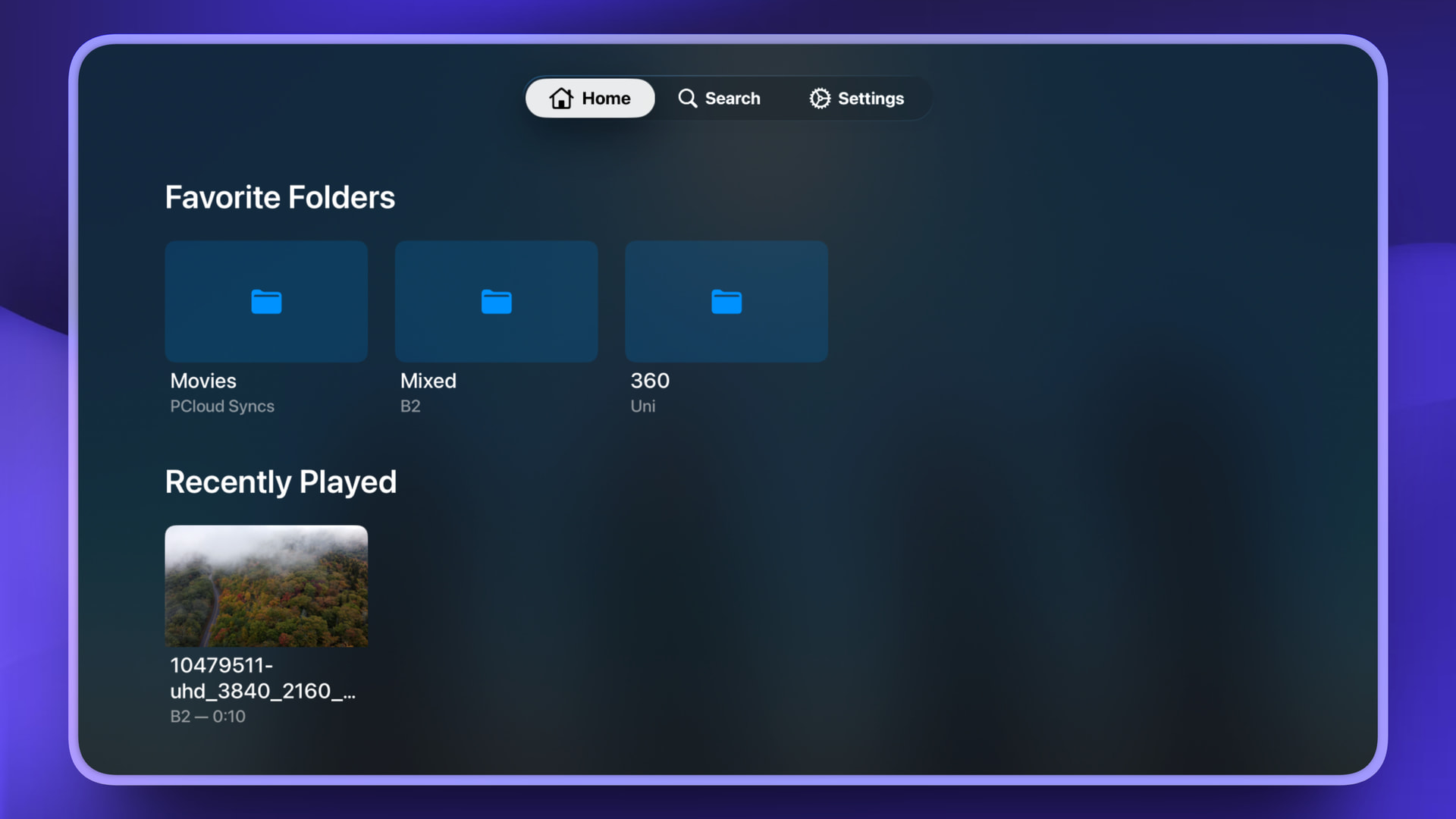
Enter Space is now Live on Apple TV. Also with latest update support for 360/180 Video content can now be viewed in the app too! Also had some bug fixes for adding and editing remotes.
Email is the best way to receive support. enter-space@wemiller.com there’s also a contact support button inside the App Store.
I can’t fix issues if I don’t know people are having them.
Always reach out first and know app review times limit how soon a fix can be applied but this is an actively supported project.
I also want to just clarify, I use Enter Space daily and ran through those “issues” and cannot reproduce them on my iPhone, Mac on the latest “26.3” operating systems and the latest app version currently in review. I also find it odd because each one of those issues has been addressed and fixed in several of the previous versions so I'm wondering if it’s a simple case of they are not running iOS 26 and so can’t get the latest version of my app that has all those fixes.
Anyways please reach out to email to see if I can fix any issues, because fixing them for you makes the app better for everyone else too.
Overlays defined as a support tier 1-3 should work fine, I've only confirmed the crypt overlay myself and the union does show up but I have never used it and so I may need to update the form field for establishing the upstreams option because currently it only offers to select a single upstream.
chunker is a tier 4 so it is not available.
technically it's rclone underneath everything so assuming it’s supported with an rclone.conf entry it may just work, it just won’t be supported by majority of the UI that makes Enter Space useful. It would be considered experimental and not officially supported until the remote is considered tier 3 or better meaning any bugs related to a tier 4/5 remote would be placed in a backlog with no planned improvement until the remote is moved to at least a tier 3 or better.
May I suggest that you consider something like “advanced“ mode where all remotes are supported? Not UI configured but rather simple text edit field where I can copy/paste/edit my own rclone config? This way more advanced/demanding users can do more complex things without you forever working on remote config UI to accommodate rclone progress and changes.
It won’t break anything in your existing approach but will give some of us more freedom to test and experiment.