What is the problem you are having with rclone?
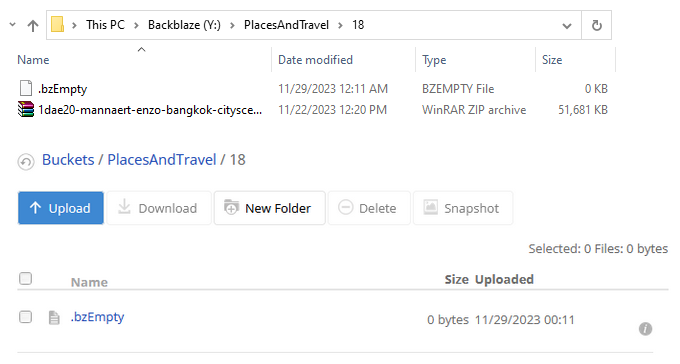
Mounted Backblaze B2 using Rclone. Tried copying files. I can see the files in Windows Explorer, but not in the Backblaze B2 browser interface.
Run the command 'rclone version' and share the full output of the command.
rclone v1.64.2
- os/version: Microsoft Windows 10 Pro 22H2 (64 bit)
- os/kernel: 10.0.19045.3693 (x86_64)
- os/type: windows
- os/arch: amd64
- go/version: go1.21.3
- go/linking: static
- go/tags: cmount
Which cloud storage system are you using? (eg Google Drive)
Backblaze B2
The command you were trying to run (eg rclone copy /tmp remote:tmp)
rclone.exe --vfs-cache-mode full --config=C:\Users\user\AppData\Roaming\rclone\rclone.conf mount Backblaze: Y:
Please run 'rclone config redacted' and share the full output. If you get command not found, please make sure to update rclone.
[Backblaze]
type = b2
account = XXX
key = XXX