STOP and READ USE THIS TEMPLATE NO EXCEPTIONS - By not using this, you waste your time, our time and really hate puppies. Please remove these two lines and that will confirm you have read them.
I asked a lot to Google gemini, I tried different mount commands. I tried uploading it 4 times. And it failed 4 times.
What is the problem you are having with rclone?
It's eating my whole disk
Run the command 'rclone version' and share the full output of the command.
root@oude-laptop:~# rclone version

rclone v1.61.1

- os/version: debian 13.3 (64 bit)

- os/kernel: 6.12.69+deb13-amd64 (x86_64)

- os/type: linux

- os/arch: amd64

- go/version: go1.19.4

- go/linking: static

- go/tags: none

root@oude-laptop:~#
Which cloud storage system are you using? (eg Google Drive)
Webdav
The command you were trying to run (eg rclone copy /tmp remote:tmp)
rclone mount tgfs_crypt: /mnt/telegram \

--vfs-cache-mode writes \

--vfs-cache-max-size 10G \

--vfs-write-back 2s \

--vfs-cache-max-age 1m \

--buffer-size 32M \

--low-level-retries 1000 \

--retries 999 \

--allow-other -v -P
Please run 'rclone config redacted' and share the full output. If you get command not found, please make sure to update rclone.
root@oude-laptop:~# rclone config dump

{

"tgfs_crypt": {

    "filename_encryption": "obfuscate",

    "password": "redacted",

    "password2": "redacted",

    "remote": "tgfs_raw:/default",

    "type": "crypt"

},

"tgfs_raw": {

    "pass": "redacted",

    "type": "webdav",

    "url": "http://localhost:1900/webdav",

    "user": "vulcanocraft",

    "vendor": "other"

}

}

root@oude-laptop:~#
Hi everyone,
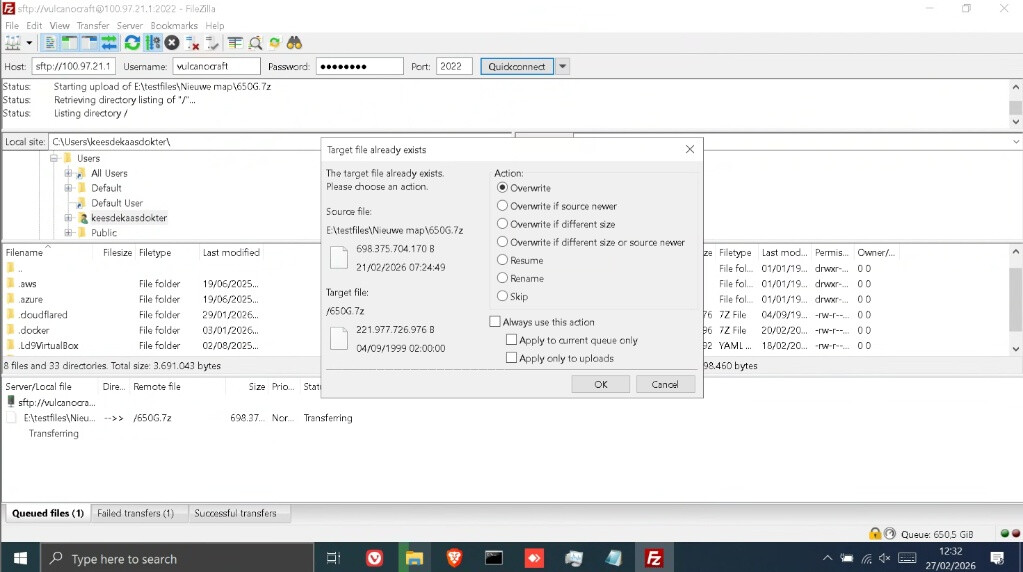
I am struggling to upload a 700GB .7z file to a Telegram-based backend (TGFS). The upload keeps failing because my local system disk hits 0% free space, causing the mount and the SFTP server to crash.
My Stack:
Filezilla (Remote Client) → Tailscale → SFTPGo (SFTP Server) → Rclone Mount → Rclone Crypt → WebDAV (TGFS Backend) → Telegram
Hardware Constraints:
Host: Laptop with a 215GB SSD (Root partition is small).
RAM: Only 4GB DDR3 (Cannot use large RAM-disks/tmpfs).
OS: Debian 13.
The Problem:
Since the file (700GB) is significantly larger than my SSD (215GB), I need a way to "pass-through" the data without filling up the drive. However, when I try --vfs-cache-mode off, Rclone returns:
"NOTICE: Encrypted drive 'tgfs_crypt:': --vfs-cache-mode writes or full is recommended for this remote as it can't stream"
It appears the WebDAV implementation for TGFS requires caching to function. Even when I set --vfs-cache-max-size 10G, the disk eventually hits 0free, likely because chunks aren't being deleted fast enough or the VFS is overhead-heavy for this specific backend.
My current mount command:
rclone mount tgfs_crypt: /mnt/telegram \

--vfs-cache-mode writes \

--vfs-cache-max-size 10G \

--vfs-write-back 2s \

--vfs-cache-max-age 1m \

--buffer-size 32M \

--low-level-retries 1000 \

--retries 999 \

--allow-other -v -P
Questions:
- Is there any way to make Rclone's VFS cache extremely aggressive in deleting chunks the millisecond they are uploaded?
- Can I optimize the WebDAV settings to handle such a large file on a small disk?
- Are there specific flags to prevent the "can't stream" error while keeping the disk footprint near zero?
- Any insights from people running Rclone on low-resource hardware would be greatly appreciated.