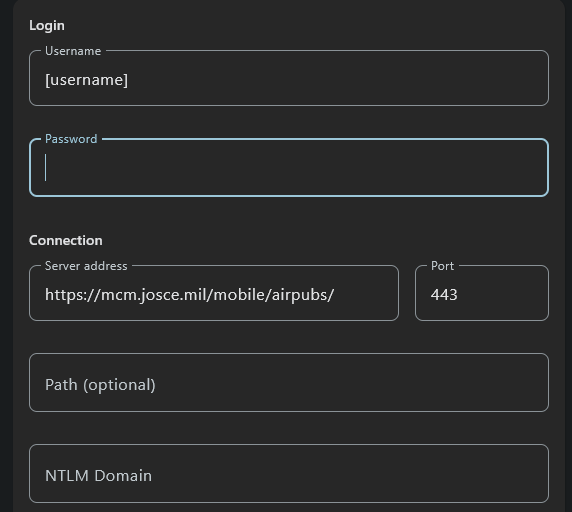
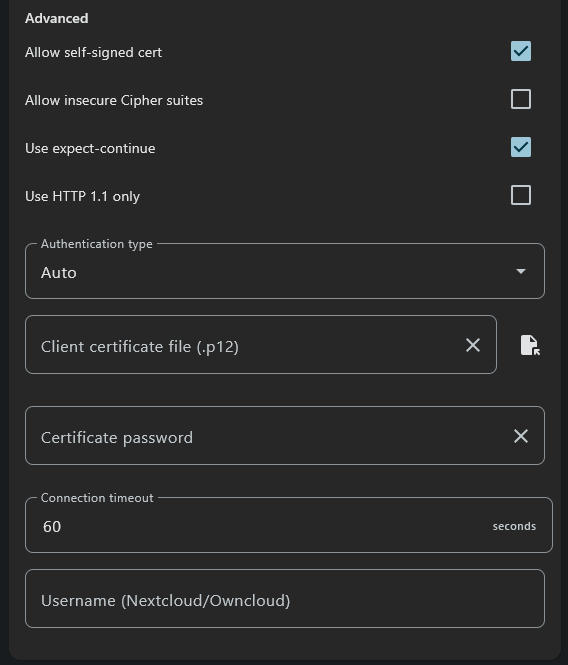
Looks like rclone is successfully connecting to my webdav server, but remote contents don’t display when, for example, using ls or lsd (no errors indicated, just no files / directories listed; other file sync services [e.g. foldersync] are able to see existing files and directories using the same url and credentials)
Run the command 'rclone version' and share the full output of the command.
rclone v1.71.2
- os/version: Microsoft Windows 11 Pro 25H2 25H2 (64 bit)
- os/kernel: 10.0.26200.6899 (x86_64)
- os/type: windows
- os/arch: amd64
- go/version: go1.25.3
- go/linking: static
- go/tags: cmount
Which cloud storage system are you using? (eg Google Drive)
WebDav
The command you were trying to run (eg rclone copy /tmp remote:tmp)
rclone lsd CHUB: --no-check-certificate
Please run 'rclone config redacted' and share the full output. If you get command not found, please make sure to update rclone.
[CHUB]
type = webdav
url = https://mcm.josce.mil/mobile/airpubs/airpubs/
user = XXX
pass = XXX
vendor = other
A log from the command that you were trying to run with the -vv flag
2025/10/29 18:30:48 DEBUG : rclone: Version "v1.71.2" starting with parameters ["rclone" "lsd" "CHUB:" "--no-check-certificate" "-vv"]
2025/10/29 18:30:48 DEBUG : Creating backend with remote "CHUB:"
2025/10/29 18:30:48 DEBUG : Using config file from "C:\\Users\\arhec\\AppData\\Roaming\\rclone\\rclone.conf"
2025/10/29 18:30:48 DEBUG : found headers:
2025/10/29 18:30:55 DEBUG : 3 go routines active
Actual output of the lsd command (i.e. no result):
Also, for what it’s worth, https://mcm.josce.mil/mobile/airpubs/ gives the same lsd -vv command results in rclone (no errors indicated but no contents populated)