sorry, imo, your first question does not make sense.
your second question, can answer for yourself, by reading about mklink command.
the vss script is just four lines of dos commands. take some time to test and experiment.
i shared the wiki, and shared real world example of an real command from my backup client+server software.
i am going to drop off now. good luck and may the force be with you...
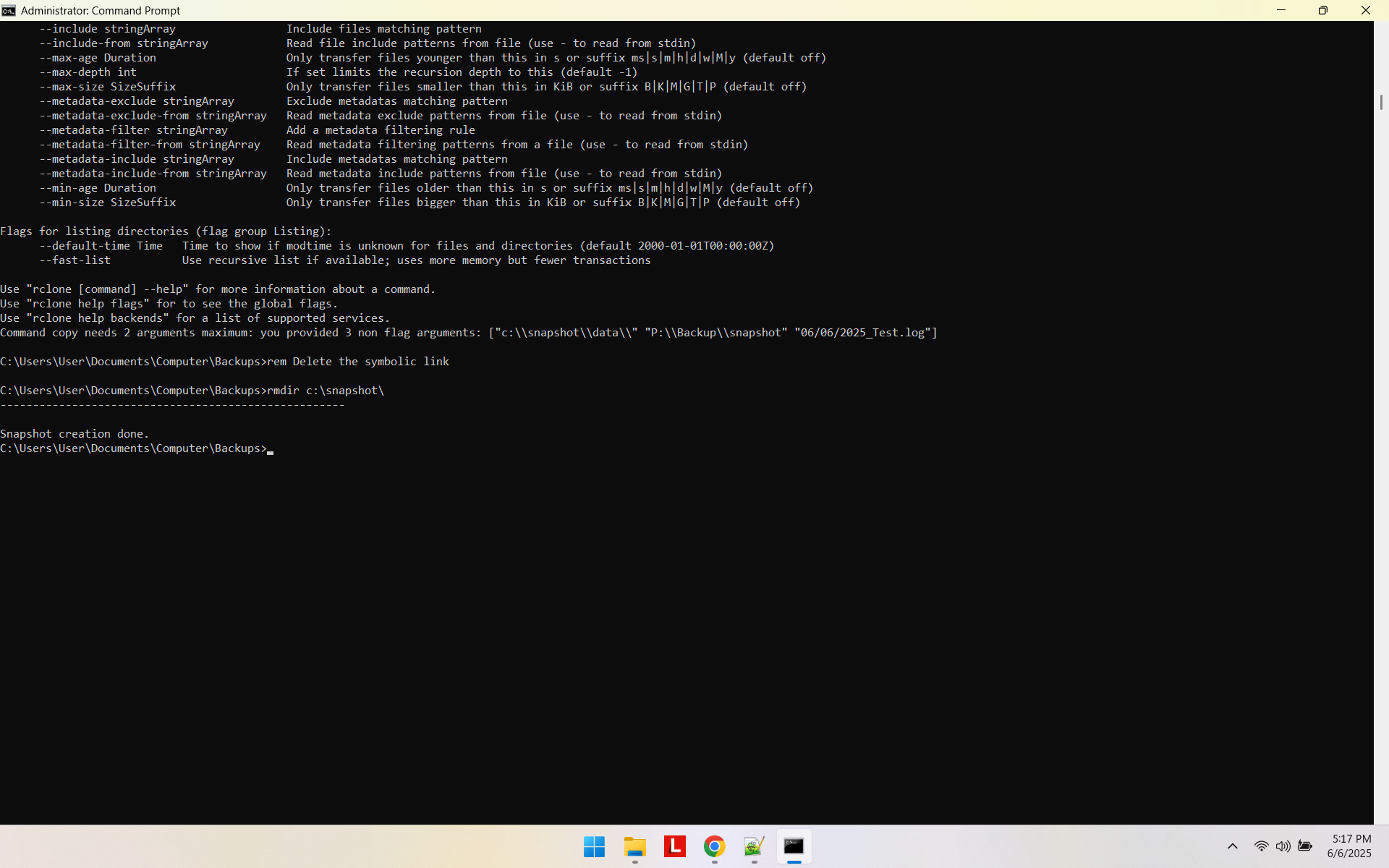
I am running into a case where when I do the rmdir it returns the message that the dir is not empty. If I close the dos window will that close the temp dir that was created?
I have the virtual working with the test, but when I create the log file with the date in the file name it returns the error that the copy command has 3 arguments
Here is my code:
rem Load the the variables created by vshadow.exe
call setvars.cmd
rem Create the symbolic link to the snapshot (the backslash after shadow_device_1 is important!)
mklink /d c:\snapshot\ %shadow_device_1%\
rem Execute rclone with the source as c:\snapshot\data, not c:\data
rem rclone copy c:\snapshot\data\ P:\Backup\snapshot --log-file=C:\data%date%_Test.log -P -vv
rclone copy c:\snapshot\data\ P:\Backup\snapshot --log-file=C:\Users\User\Documents\Computer\Backups\Data%date%_Test.log -P -vv
what I currently have for the copy command is
rclone copy c:\snapshot\data\ P:\Backup\snapshot --log-file="C:\Users\User\Documents\Computer\Backups\Data\rclone_~$(date +%Y%m%d_%H%M%S)~.log" -P -vv
i am not chatgpt, i am just a volunteer in the forum, i have run out of time quota for this topic.
fwiw, you need to spend your valuable time, working on your very basic tech 101 skills, read existing forum posts and spend your time to experiment.
we already discussed the date log issue. i posted detailed examples.
and your question has been already asked many times in the forum, and i posted the same info many times.
also, that has nothing at all to do with rclone. just basic dos script.
for /f "tokens=2 delims==" %%I in ('wmic os get localdatetime /format:list') do set datetime=%%I
echo %datetime:~0,4%%datetime:~4,2%%datetime:~6,2%.%datetime:~8,2%%datetime:~10,2%%datetime:~12,2%

20250606.181141