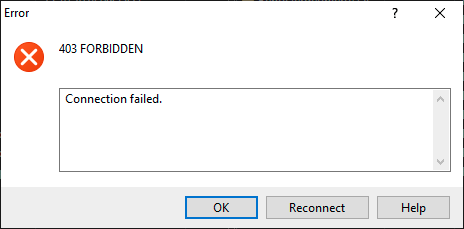
I'm using rclone to synchronize files from local drive to sharepoint in linux environment (webdav configuration according to WebDAV). This was working for years very well until mid of august 2025.
Since then the synchronization does not work anymore. With our MS administrator we checked if any settings in the M365 accounts were changed. But they aren't.
Of course I updated rclone but this does solve the problem. I assume some interface/setting in sharepoint changed and this influences the behavior of rclone. I also tried to use rclone on a windows computer with the same and different account which have normally access to the sharepoint via web browser.
What is the problem you are having with rclone?
I cannot read the files from sharepoint nor I can copy data to it.
rclone ls remote:path gives error code 403
Run the command 'rclone version' and share the full output of the command.
rclone version
rclone v1.70.3
os/version: debian 11.8 (64 bit)
os/kernel: 5.10.0-27-amd64 (x86_64)
os/type: linux
os/arch: amd64
go/version: go1.24.4
go/linking: static
go/tags: none
Which cloud storage system are you using? (eg Google Drive)
sharepoint business
The command you were trying to run (eg rclone copy /tmp remote:tmp)
rclone ls remote:path
Please run 'rclone config redacted' and share the full output. If you get command not found, please make sure to update rclone.
rclone ls remote:path
Paste config here
A log from the command that you were trying to run with the -vv flag
[TEMP]
type = webdav
url = company SP here
vendor = sharepoint
user = XXX
pass = XXX
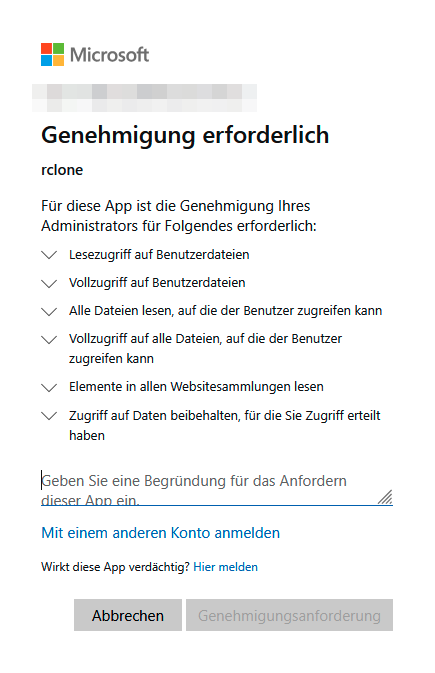
This does not work for me. I think this is only related to my private one drive and not to business sharepoint. If I want to login via web browser it always request a special permission by administrator. But this was given by our administrator. But still after that it does not work.
Thanks for your hint. This sounds like a workaround for me…. Before I will continue with it I will go again into contact with our MS administrator. Maybe there is some permission we can set to prevent such workaround….
A Microsoft permissions/policy change seems likely. MFA is shifting from recommended to mandatory by default for many 365 users. Are you already using, or can you try using, an App password?
In general we are using MFA, but not for all accounts. The accounts I used for testing don’t have MFA. Our administrator also stated again that no settings were changed actively.
Ok, with that post the error makes sense. Actually I have no idea how to solve it with rclone? Actually I’m thinking to use something like onedrive on linux (e.g. GitHub - abraunegg/onedrive: OneDrive Client for Linux ) which is not my goal. I like simple and robust solutions like rclone.