For me, anymore than 12 TPS generates rate limit errors so I don't go higher than that.
That's not quite how ffprobe/mediainfo work as it jumps around a bit. Plex opens/closes a file 3 times when it analyzes and that generally happens in the background when something is scanned. Generally, if you are scanning a brand new library with TBs of data, you'd see some difference as you want to reduce the waste.
Scans aren't relevant as once it's scanned, it's just dir cache time as those are instant as it's only checking file size/mod time on the files. Playback with a tiny chunk size actually takes longer as it has to make many more API hits / range requests to get the data as it's reading sequentially to start playback (assuming the file is analyzed already).
To solve what? You can't easily manage that with Sonarr/Radarr. Once the library is analyzed the first time, everything else is pretty much instant. I don't break things up to avoid having to manage my stuff more as I really just want to set and forget and if it takes me 1.5 seconds to start vs 1 second, that's alright in my book as I do nothing to manage it.
That's why I removed mergerfs from setup as I have situations where I have double the data for a period of time until it's upload and I can't use hardlinks but I have one less piece of software and I remove an upload script.
In the end, whatever works best for you, use that. I use what works best for me and my setup as my goals/use case might be different and just as "correct" as yours is for you. Isn't really a 'right' in this case as what works best for you, do that.
That's right. I probably going to test some stuff and at the moment it works quite well.
Hmm. Where are you getting the error?
I never received one error from Dropbox because Rate Limit or similar.
I tested as mounted Volume for Plex with a new fresh library and scan, with chapter thumbnail generation, thumbnail preview generation, intro detection.
I did a copy with 10000 files (1MB each) at transfers 64.
I did a simple ncdu and lsl with TPS limit 100 for the sake of completion at three different servers and on my local machine with the same client id (app).
I only noticed rclone is demanding many resources to manage the many requests but that's normal if you throw everything at it.
EDIT:
I noticed something. If I add one server more with tpslimit 100 I recieve the error of "too many requests". Makes sense since 5 devices with high bandwidth and fast latency are accessing the poor app all at once.
Does seem very odd. I can pretty much break anything past around 12-13 tps per second.
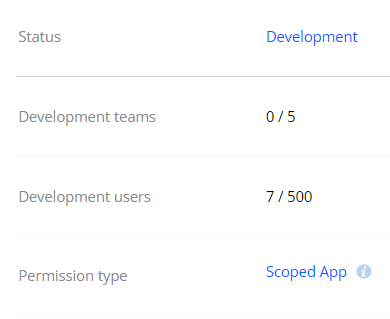
You are using your own API key and are you testing or production? I'm not aware of any other settings that would impact it as your results seem very different from everyone else.
@Animosity022 quick question about your setup if you don't mind
As you have a separate Dropbox app for your film and tv content, I presume that means you also need to have separate mounts, correct? Does that also mean you have more than one cache?
Up until now I've been running two mounts, one for my Radarr, Sonarr and any uploads and another for Plex. The idea was to use Bwlimit on the Radarr/Sonarr mount so that I can manage traffic during peak hours, without also throttling Plex
I'm also curious about your 1 hour upload delay. What is the purpose of that?
Generally, my thought process was to give things time to "settle" before I uploaded them as I have a 2TB drive that does my caching so I didn't want to fill it up. I've got FIOS so don't care about uploading and downloading at the same time so need to bwlimiting from my perspective.
I use QoS on my OPNSense router so traffic is shared pretty much evenly across sessions so no one session can overpower anything else. My setup is definitely very well tuned for my use case and I spent a lot of time on the QoS portion testing various setups and finally landed on this after some time as it just works well.
Unfortunately my router only has dynamic QoS, so I can't configure bandwidth that way.
Can you see a downside to me having a separate Dropbox app/mount for my uploads, as well as mounts for TV and Movies? (actually there would be 5 mounts as I separate 4k tv and 4k movies)
The only negative I can think of would be smaller caches. I have two 1TB SSD drives, so I could share the space between the 5 caches
Nope. I don't see any issues with that. I generally say, use what works best for your setup as my flow has been a constant optimization for years based on my use case.
@Animosity022 I've finally transfered all my content from Gdrive to Dropbox and I'm in the process of setting up my Mounts, however I'm running into some issues with the DropBox apps. I've set them up as per the rclone guide however I'm getting the following error when I set up my remotes
Fatal error: failed to get token: oauth2: cannot fetch token: 400 Bad Request
Response: {"error": "invalid_client: Invalid client_id or client_secret"}
Sorry if I wasn't clear. I'm emulating your setup with the Dropbox mounts, but despite following the instructions i am getting issues with the client ID and client secret