tl;dr
run rclone mount as system user
or
run rclone mount pointing to folder, not drive letter
the OP might not realize that it takes more than that.
with windows, for each user, there are two separate set of shares.
one set of network shares if rclone mount is run with a command prompt that has administrator rights
one set of network shares if `rclone mount' is run with a command prompt that has not administrator rights.
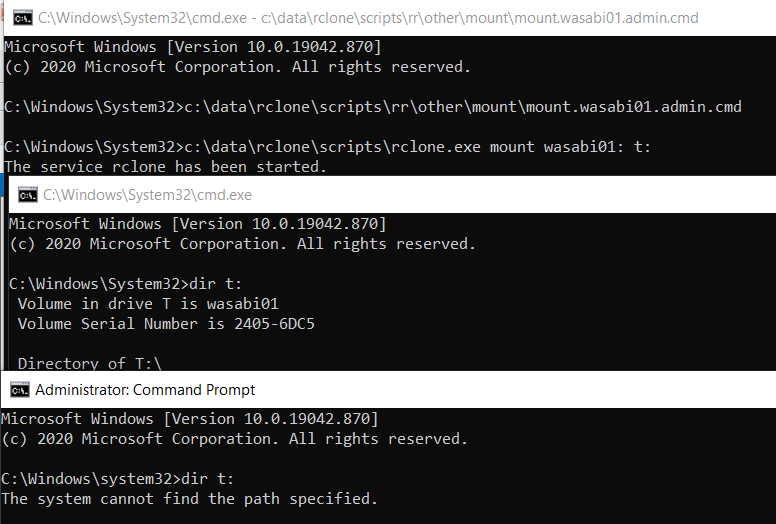
here i show three command prompts
rclone mount x:with admin rights.dir x:with a command prompt with admin rights, showsx:dir x:with a command promptwithoutadmin rights, does not showx:
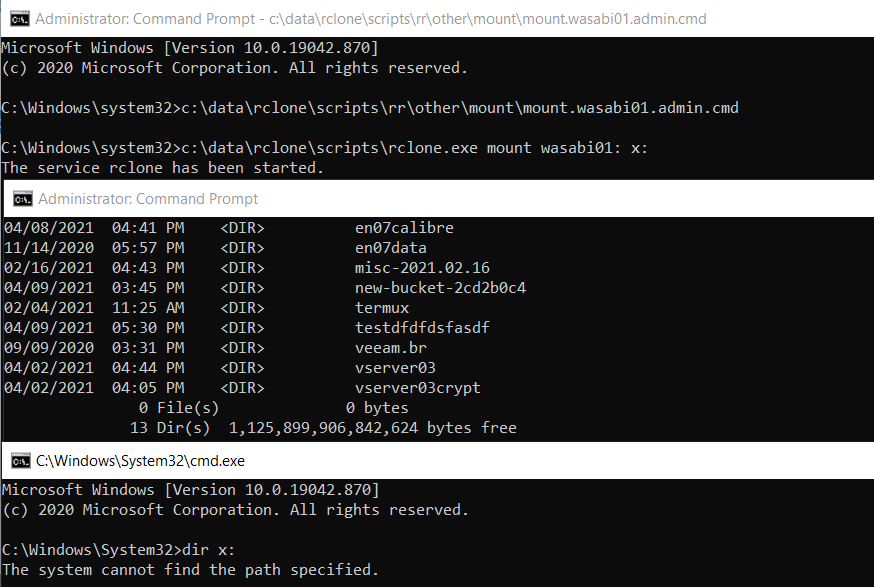
there way workarounds for that tho.
- run
rclone mountas system user - run
rclone mountpointing to a folder, not a drive letter.
here i run a rclone mount to a folder and both command prompts can see the mount
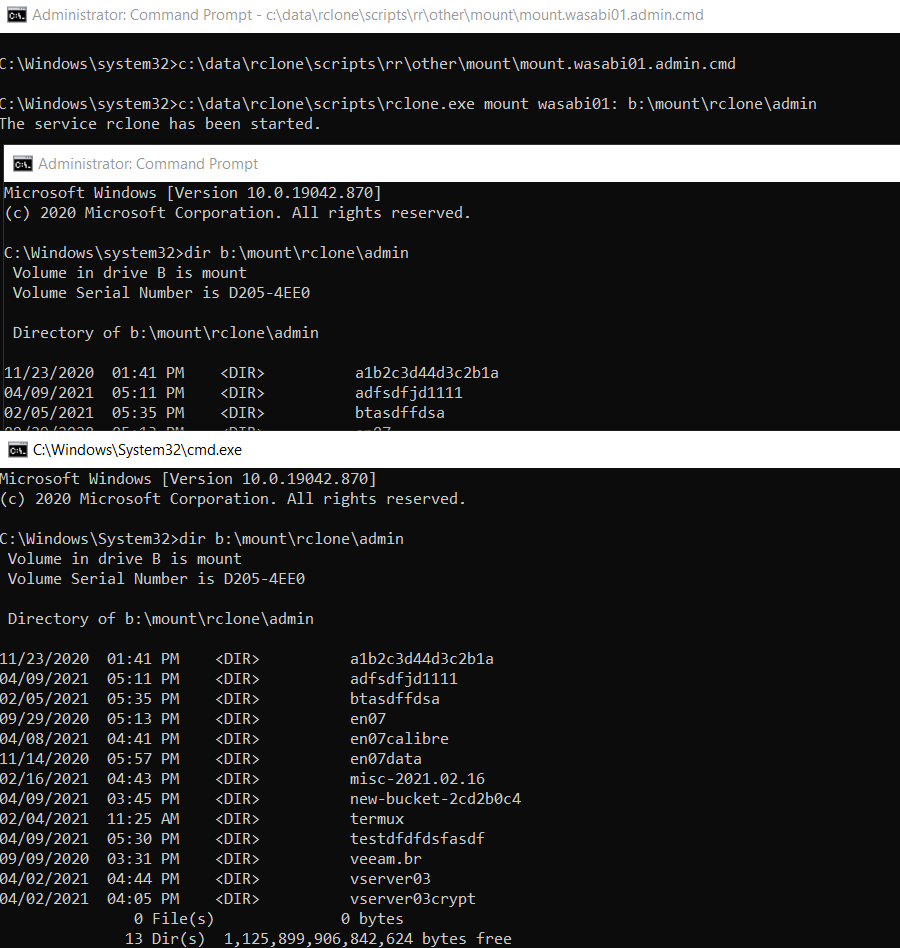
and here is the other way round, the rclone mount is run as user without admin rights.
windows explorer runs without admin rights
so if you want windows explorer to see the drive letter, you must mount without admin rights or as system user.