All bullet points with my name on are retested ok. Looking good! 
1 Like
Here is another little update
- auto-scroll TOC sidebar to keep active link visible
- add sticky first column to horizontally-scrolling tables @kapitainsky
- fix copy button scrolling with code blocks @albertony
I also made the copy buttons a little bigger as I thought they were too difficult to click.
 Perfect
looks like I imagined. And I love it.
What would make it perfect is some indicator (clue, hint) that this table is scrollable. We all know that it is but I see first time user not even realising that it can be scrolled left and right.
This is not critical and I will think about something (and check what other do in such cases) later and submit PR if already live.
But what happened with beautiful dark mode?
It changed to some ugly (IMO) violet instead of black (macOS, tested with various browsers):

For comparison how this forum dark mode looks like:
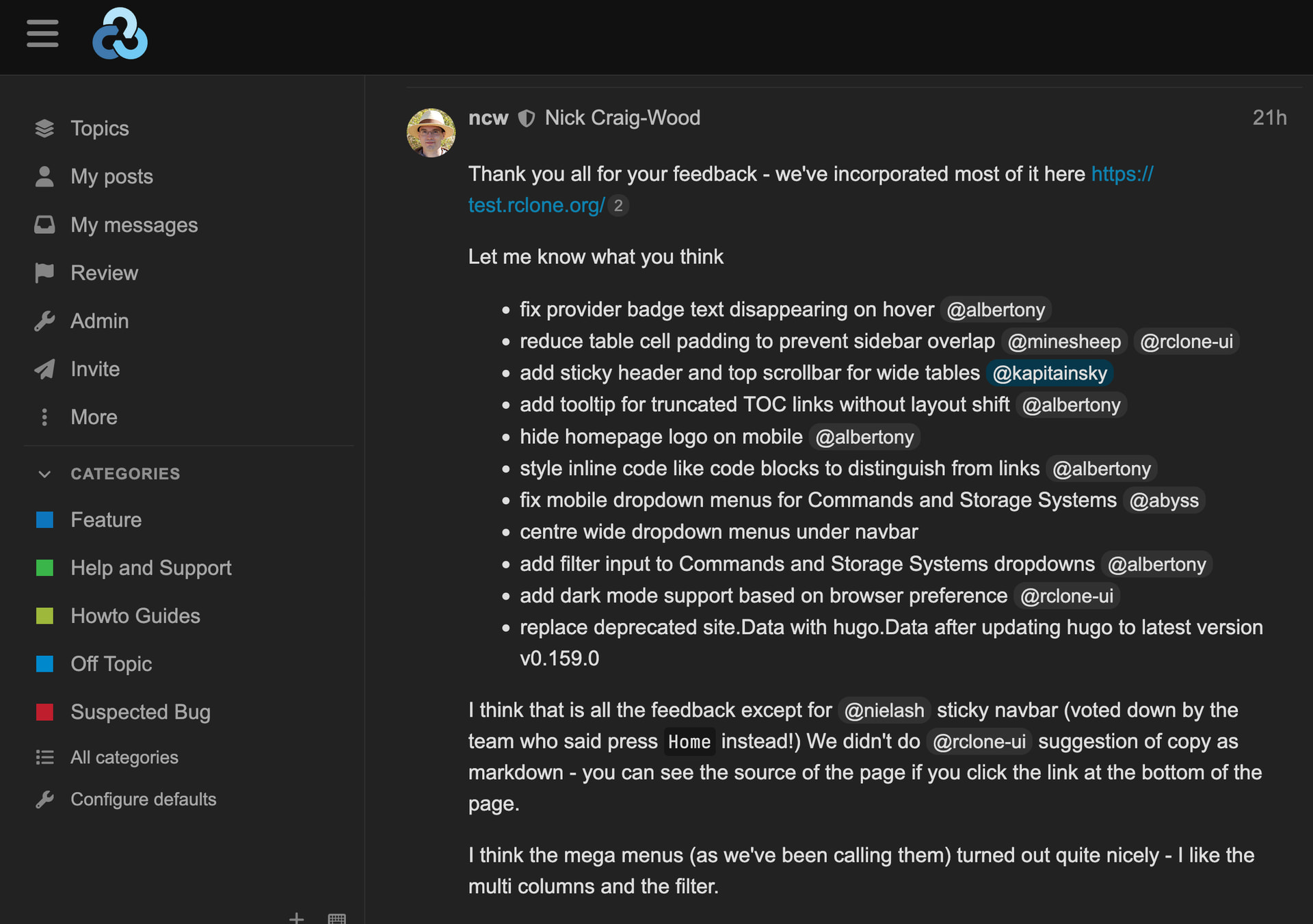
Ideally both should look the same. If for whatever and beyond my aesthetics reason violet is preferred then forum should be changed too. But my vote is for proper black.
Violet really hurts my eyes. It is just wrong with blue used for links etc.
Don't you see a horizontal scroll bar like this?

That is a very good point. I went through the dark mode colors to make them consistent with the forum.
What do you think of this?
1 Like
Thank you! Now it looks much much better.
Yes but only if I start scrolling. And it is not obvious that one should even try. Hence some hint would be useful to indicate that it is scrollable.
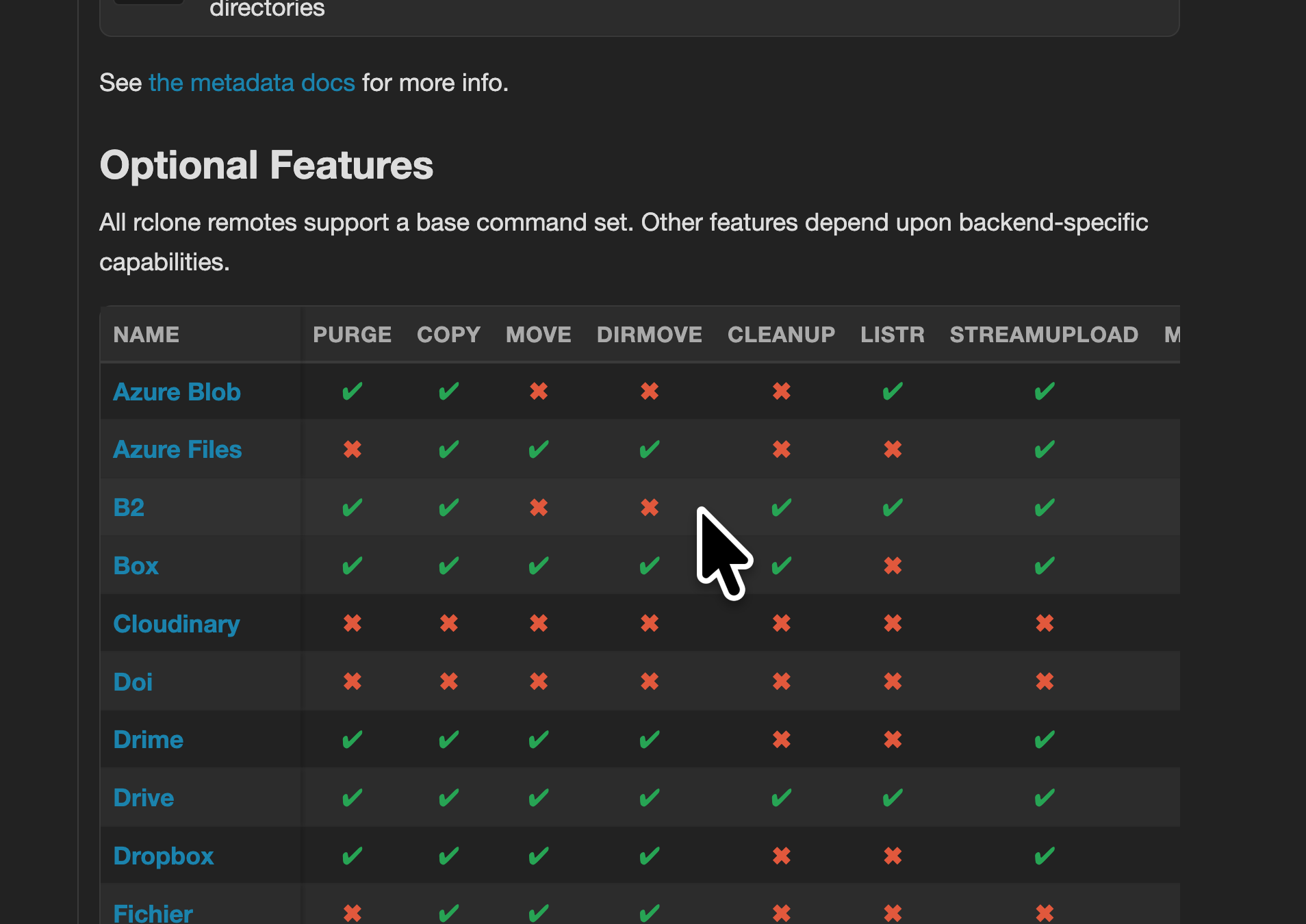
Here some Grok’s suggestions:
In summary Groks suggests the following options:
- Scroll Shadows / Fade Edges (Most Popular & Effective Modern Solution)
- Always-Show a Thin/Custom Scrollbar (Subtle Hint)
- Visual Indicators + Micro-Interactions
Most professional implementations combine #1 (scroll shadows/fades) with sticky headers. This is subtle, works across devices, doesn't rely on scrollbars being visible, and clearly communicates "this area scrolls horizontally and vertically."
We have sticky headers already so only small extra CSS needed (included in the Grok’s answer)
That's odd. I see a horizontal scrollbar right from the beginning even with no scrolling. Using chrome 144 on my laptop and 146 on my phone.
On firefox I only see the scrollbar if I hover over the table.
What browser are you using? Do you see the scrollbar if you hover over the table?
Firefox and Safari on macOS
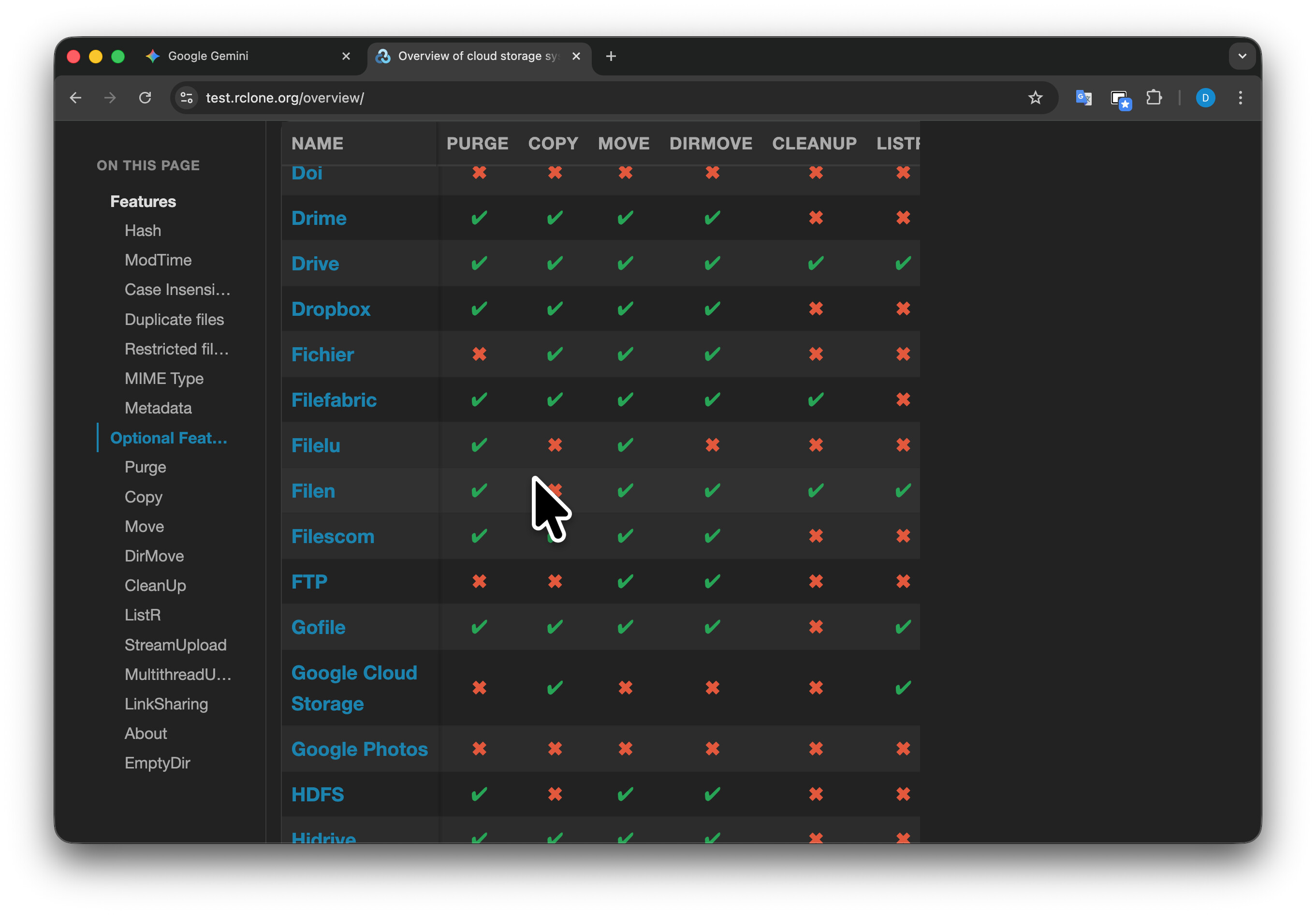
As you see on my picture there is “big and ugly” mouse pointer - so not scrollbars when hoovering over.
Neither when trying Chrome - see below:
The same when using Firefox on Debian:
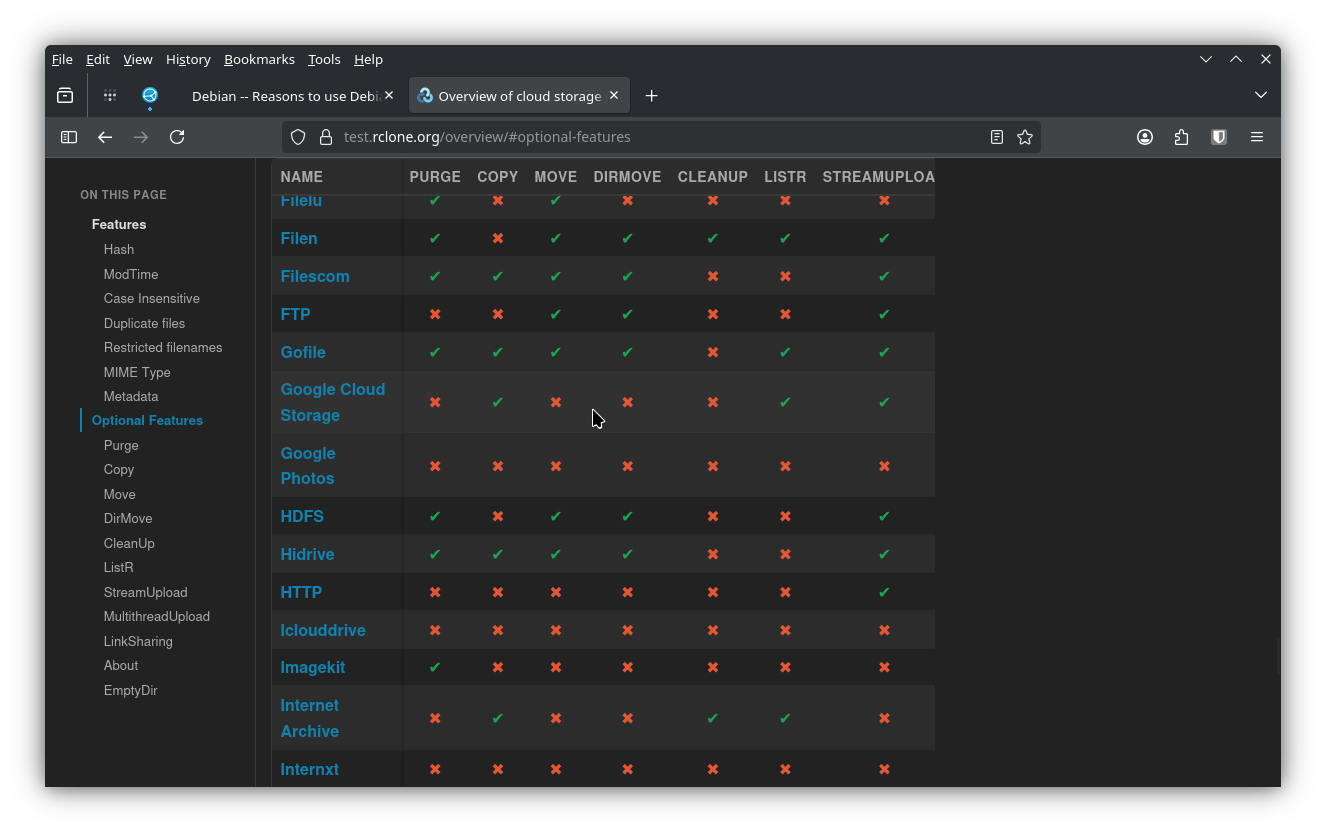
I wonder if we are talking about the same thing…
Only when I start scrolling horizontally the scrollbar appears.
My point it that when scrolling vertically (which is what people do when reading that page content) I have no clue that table I am seeing has more columns.
Try that now @kapitainsky
As far as I can see it is impossible to get firefox and safari to show the scroll bars all the time - they just disappear when you aren't hovering over them no matter what css you put in.
I put some clicky buttons in instead which should be a visual cue and does work as a UI also.
1 Like
This is actually quite nice and does its job well. Thank you for patience!
1 Like
Thank you all for your testing
I've merged this to master now, which means it is now on https://tip.rclone.org/ (that website is built daily from the master branch so it is what the website will be like at the next release).
Let me know if you find anything else!
1 Like
On every page where “left margin” menu is longer than a browser can fit into a single page height try to scroll it to the end (e.g. Documentation ) . It behaves very weirdly. It allows to scroll some length before main content jumps - and by no way in sync with the menu content. It should be fully independent IMO.
Best is to try to see:)
Tested with various browsers.