STOP and READUSE THIS TEMPLATENO EXCEPTIONS - By not using this, you waste your time, our time and really hate puppies. Please remove these two lines and that will confirm you have read them.
What is the problem you are having with rclone?
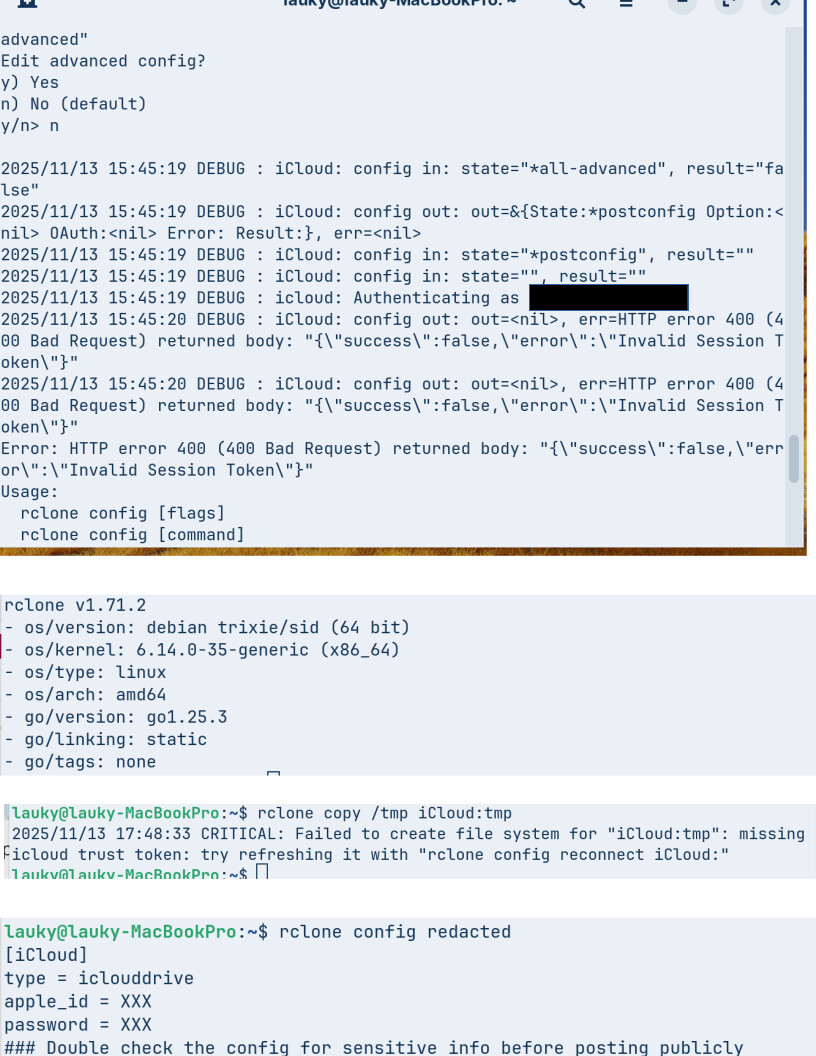
Tried many times to integrate with Apple iCloud. Never ever get the 2FA authentication prompt, it goes to error immediately. The iCloud “Advanced Data Protection” is OFF and the Access iCloud Data on the Web is Green (ON). I also never get an email notification that I was trying to connect to iCloud. Also, never got any 2FA pop-up on my iphone with the security code.
I can login to iCloud via browser successfully so the login and password are good.
The reason you’re not getting a 2FA prompt with rclone is likely because Apple blocks unrecognized logins. The easiest fix is to create an app-specific password in your Apple ID account under Security → App-Specific Passwords and use that in rclone instead of your normal password. Also, make sure your device is trusted and you’re running the latest version of rclone, as older versions may not handle iCloud authentication properly.
Thanks Sanjay. I couldn’t find where to set the App Specific Passwords on my iphone iOS 26.0.1. It seems asdffdsa is saying app specific password is not supported currently with rclone. Have you tried it?