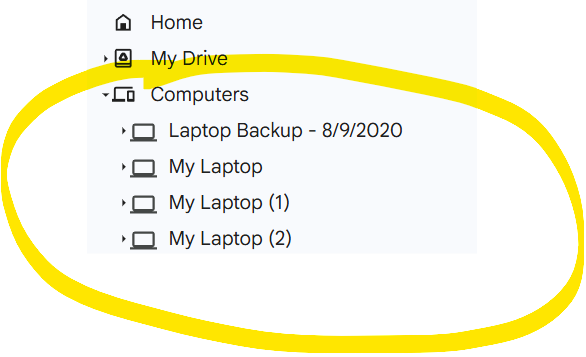
So, I have setup a copy from Google Drive (‘My Drive’) to OneDrive with the following parameters and it’s working as expected. However, I see no option to have RClone copy the local computer backups located under ‘Computers’.
Is that a separate switch in the command line that I need to run to target these additional ‘Computer’ backups in RClone? I read online about setting the ‘rootID’ of my Google Drive?
When I run the ‘rclone lsd gdrive:’ command, I can only see ‘My Drive’, I don’t see the backups/folders under ‘Computers’.
This is the command line I’m running for the ‘My Drive’ copy operations, it’s averaging about 10GB/hour, so I have roughly 45-48 hours left (~450GB of data to copy):
I’m running 1.73.2, 64-bit edition for Windows 11.
My source is Google Drive and my destination is Microsoft OneDrive.
If I can’t get this to work, is the next best option to manually download the ‘Computers’ backups and upload them to OneDrive or use Google Takeout and upload the .zip files?
where 1XyfxxxxxxxxxxxxxxxxxxxxxxxxxKHCh is the id of one of your "Computers", from the browser URL (like https://drive.google.com/drive/folders/1XyfxxxxxxxxxxxxxxxxxxxxxxxxxKHCh). See docs.
If I recall correctly, root_folder_id can only point to one "computer" at a time, and cannot also point to your main drive while pointing to a "computer". However, as a workaround you can create separate remotes for each and then combine them into one tree with a combine remote.
 Reconfigure the source machine (cleanest long-term)