What is the problem you are having with rclone?
I really like the FTP mode to sync files from my local environment to my server.
Unfortunately not all my server allow SFTP/SSH/Rsync and therefore I tried rclone.
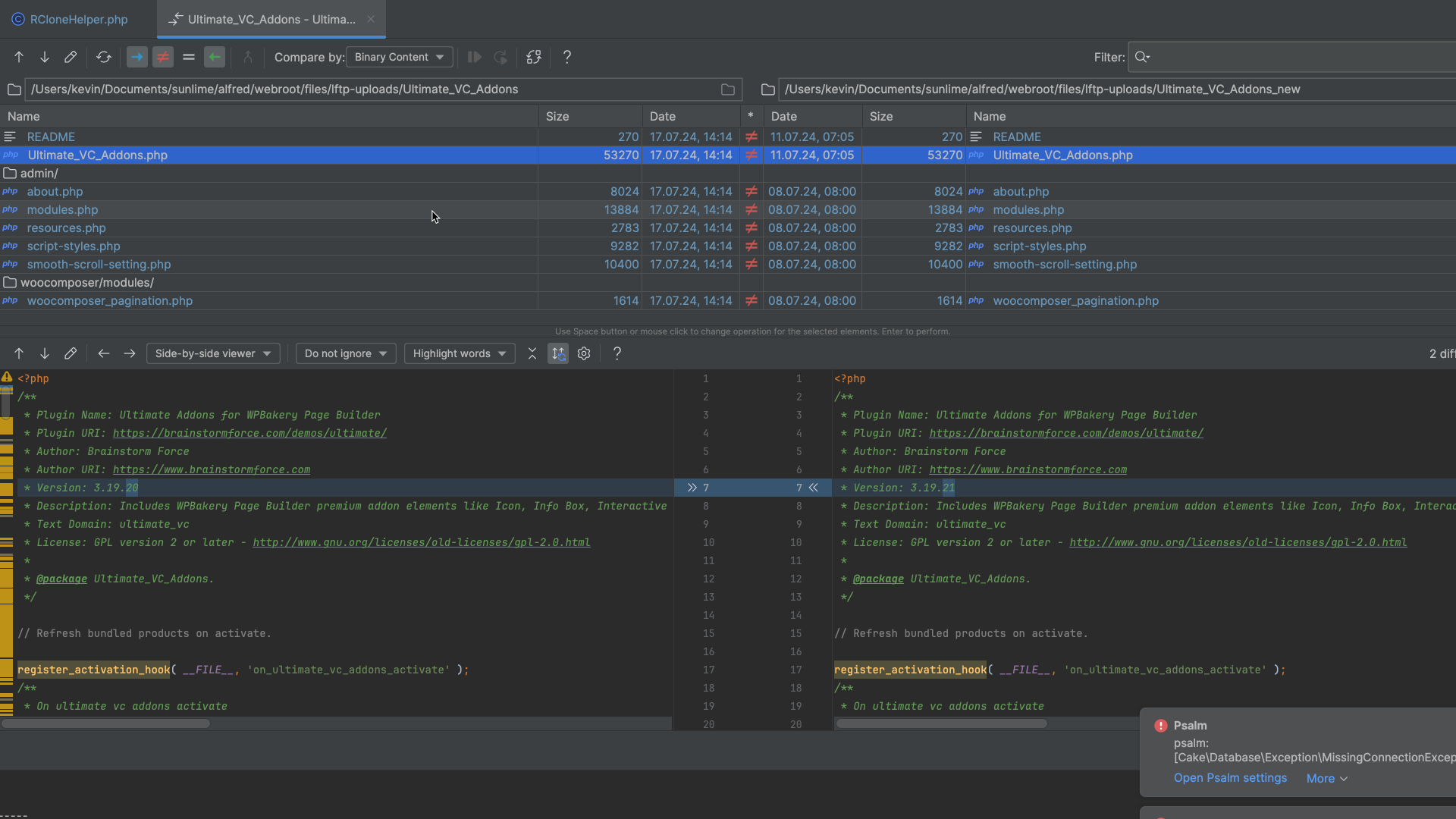
BUT now I run into the issue, that rclone doesn't upload a file if the local file and the remote file have the same file-size (even though the content is different)
I have a bunch of file examples here which I compared to see the difference
Run the command 'rclone version' and share the full output of the command.
rclone v1.67.0
- os/version: darwin 14.5 (64 bit)
- os/kernel: 23.5.0 (arm64)
- os/type: darwin
- os/arch: arm64 (ARMv8 compatible)
- go/version: go1.22.4
- go/linking: dynamic
- go/tags: none
Which cloud storage system are you using? (eg Google Drive)
FTP with implicit TLS
The command you were trying to run (eg rclone copy /tmp remote:tmp)
rclone sync /my-apth/Ultimate_VC_Addons :ftp:/www/wp-content/plugins/Ultimate_VC_Addons --ftp-host myserver.at --ftp-user myuser --ftp-port 990 --ftp-tls --ftp-concurrency 4 -v --ftp-pass obscured-password-content
Please run 'rclone config redacted' and share the full output. If you get command not found, please make sure to update rclone.
; empty config
### Double check the config for sensitive info before posting publicly
It is empty since I generate the commands with all necessary CLI options on the fly with my own logindata app 
A log from the command that you were trying to run with the -vv flag
As can be seen in the Logs that specific file shown in the Screenshot is being skipped due to the fact, that the size is equal
2024/07/17 14:24:54 DEBUG : Ultimate_VC_Addons.php: Size of src and dst objects identical
2024/07/17 14:24:54 DEBUG : Ultimate_VC_Addons.php: Unchanged skipping
How can I tell rclone to force upload all files?
