What is the problem you are having with rclone?
I recently uploaded ~800gb of data to Jottacloud using encryption and base 32 encrypted file names, but Jottacloud has a 255 character limit on file names and some of my files exceeded the limit, so I tried to do a server-side copy and re-encode the file names in base 32768.
The first time I attempted to do this, I got no errors in the terminal when running rclone copy crypt: crypt-base32768: --server-side-across-configs, and it appeared to work correctly. However, in my encrypted-base32768 directory, there were two sub-directories, and one of them worked fine while the other didn’t.
When I tried to download a random file from the broken directory, I got a file not found error. Running rclone lsf crypt-base32768: worked and showed all files correctly, but running rclone lsf crypt-base32768:/broken-directory-name errored, with something like “directory [name] not found, maybe it’s a file?" (I don’t have the exact message now, sorry).
I also got this error when attempting to open the broken directory on the Jottacloud website:
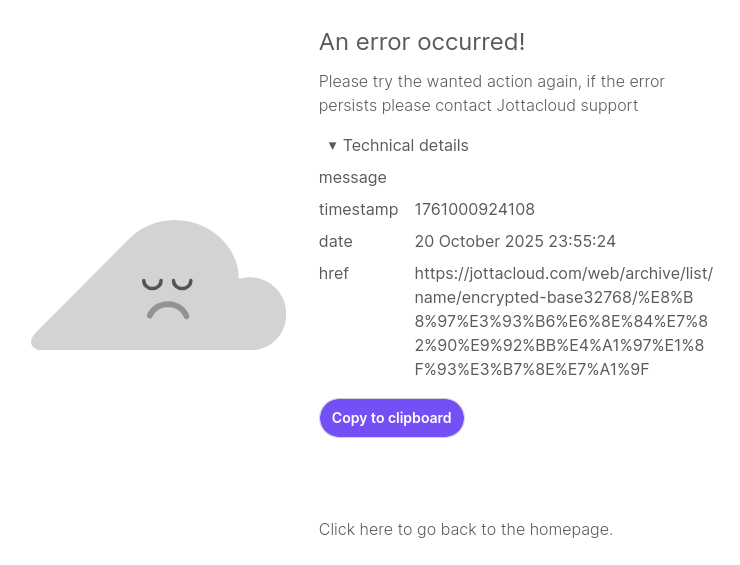
I thought perhaps Jottacloud doesn’t support these file names, so I contacted their support and they said that base 32768 file names should work correctly, and that they ran some tests and everything appears to be working, and that I should test with the official jotta-cli program. I created a test directory containing thousands of files that had the same names as all the files and directories in my encrypted-base32768 directory, and it uploaded them all successfully.
I deleted the crypt-base32768 remote and the encrypted-base32768 directory and tried to recreate them again, but now when I run the same copy command as above, I get a few errors like this:
2025/10/23 14:52:02 ERROR : [unencrypted-file-name]: corrupted on transfer: sizes differ src(Encrypted drive 'crypt:') 130454936 vs dst(Encrypted drive 'crypt-base32768:') 0
and then several thousand errors like this:
2025/10/23 14:52:02 ERROR : [unencrypted-file-name]: Failed to copy: parsing time "1-01-01-T00:00:00Z" as "2006-01-02-T15:04:05Z0700": cannot parse "1-01-01-T00:00:00Z" as "2006"
Run the command 'rclone version' and share the full output of the command.
rclone v1.71.2
- os/version: arch (64 bit)
- os/kernel: 6.12.53-1-lts (x86_64)
- os/type: linux
- os/arch: amd64
- go/version: go1.25.3 X:nodwarf5
- go/linking: dynamic
- go/tags: none
Which cloud storage system are you using? (eg Google Drive)
Jottacloud
The command you were trying to run (eg rclone copy /tmp remote:tmp)
rclone copy crypt: crypt-base32768: --server-side-across-configs
The rclone config contents with secrets removed.
[jotta]
type = jottacloud
configVersion = 1
client_id = jottacli
client_secret =
tokenURL = https://id.jottacloud.com/auth/realms/jottacloud/protocol/openid-connect/token
token = {"access_token":"[secret]","token_type":"Bearer","refresh_token":"[secret]","expiry":"2025-10-23T03:31:43.99249723+01:00","expires_in":3600}
device =
mountpoint =

[crypt]
type = crypt
remote = jotta:/encrypted
password = [secret]
password2 = [secret]

[crypt-base32768]
type = crypt
remote = jotta:/encrypted-base32768
password = [secret (same as above)]
password2 = [secret (same as above)]
server_side_across_configs = true
filename_encoding = base32768
A log from the command with the -vv flag
2025/10/23 15:28:11 DEBUG : rclone: Version "v1.71.2" starting with parameters ["rclone" "copy" "crypt:" "crypt-base32768:" "--server-side-across-configs" "-vv"]
2025/10/23 15:28:11 DEBUG : Creating backend with remote "crypt:"
2025/10/23 15:28:11 DEBUG : Using config file from "/home/ben/.config/rclone/rclone.conf"
2025/10/23 15:28:11 DEBUG : Creating backend with remote "jotta:/encrypted"
2025/10/23 15:28:11 DEBUG : fs cache: renaming cache item "jotta:/encrypted" to be canonical "jotta:encrypted"
2025/10/23 15:28:11 DEBUG : Creating backend with remote "crypt-base32768:"
2025/10/23 15:28:12 DEBUG : Creating backend with remote "jotta:/encrypted-base32768"
2025/10/23 15:28:12 DEBUG : fs cache: renaming cache item "jotta:/encrypted-base32768" to be canonical "jotta:encrypted-base32768"

followed by thousands of lines of:

2025/10/23 15:28:12 DEBUG : [unencrypted-file-name]: Need to transfer - File not found at Destination

and

2025/10/23 15:28:12 ERROR : [unencrypted-file-name]: Failed to copy: parsing time "1-01-01-T00:00:00Z" as "2006-01-02-T15:04:05Z0700": cannot parse "1-01-01-T00:00:00Z" as "2006"