STOP and READ USE THIS TEMPLATE NO EXCEPTIONS - By not using this, you waste your time, our time and really hate puppies. Please remove these two lines and that will confirm you have read them.
What is the problem you are having with rclone?
Using my own API client_id and `client_secret` for Google Drive.
Run the command 'rclone version' and share the full output of the command.
rclone v1.71.0
- os/version: ubuntu 22.04 (64 bit)
- os/kernel: 6.8.0-84-generic (x86_64)
- os/type: linux
- os/arch: amd64
- go/version: go1.25.0
- go/linking: static
- go/tags: none
Which cloud storage system are you using? (eg Google Drive)
Trying to configure the Google Drive. It is working with the standard configuration (general token).
The command you were trying to run (eg rclone copy /tmp remote:tmp)
Paste command here
I am following the procedures here Google drive to configure my own token (client ID and secret) on remote "Unesp2".
Please run 'rclone config redacted' and share the full output. If you get command not found, please make sure to update rclone.
[Unesp2]
type = drive
client_id = XXX
client_secret = XXX
scope = drive

[Unesp]
type = drive
token = XXX
root_folder_id = XXX
team_drive =

[Unicamp]
type = drive
token = XXX
root_folder_id = XXX

[Unicamp2]
type = onedrive
token = XXX
drive_id = XXX
drive_type = business

[local]
type = local
### Double check the config for sensitive info before posting publicly
A log from the command that you were trying to run with the -vv flag
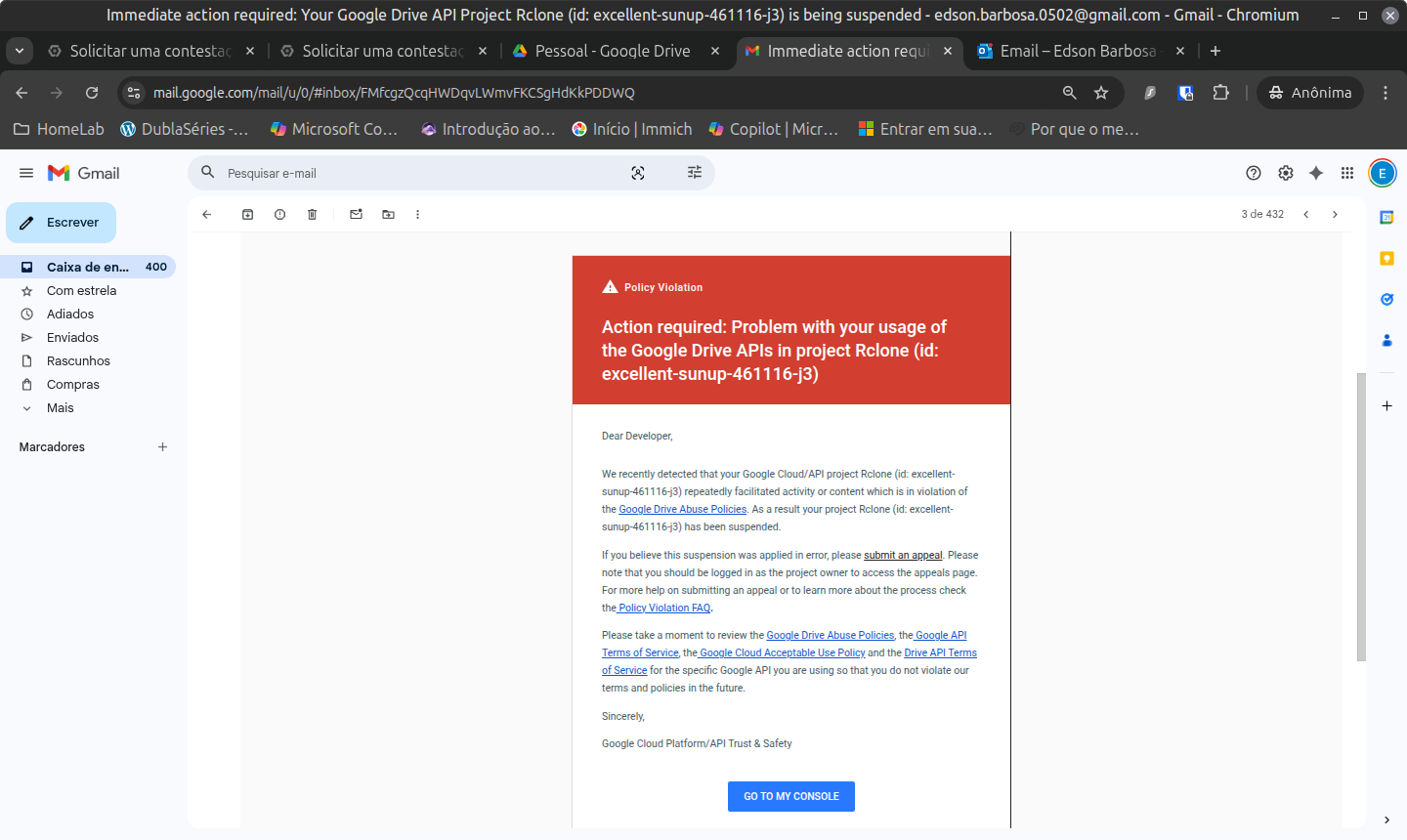
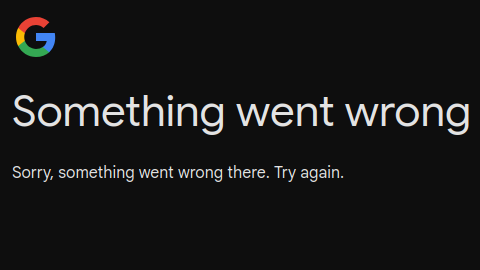
I strip out some secret info from the log, but the important is that in the last part I got stuck in the web page:
Editing existing "Unesp2" remote with options:
- type: drive
- client_id: ???????????????????????????
- client_secret: ???????????????????????????
- scope: drive

2025/09/26 10:30:03 DEBUG : Unesp2: config in: state="*all", result=""
2025/09/26 10:30:03 DEBUG : Unesp2: config out: out=&{State:*all-set,0,false Option:????????????????????????????????????? OAuth:<nil> Error: Result:}, err=<nil>
2025/09/26 10:30:03 DEBUG : Unesp2: config: reading config parameter "client_id"
Option client_id.
Google Application Client Id
Setting your own is recommended.
See https://rclone.org/drive/#making-your-own-client-id for how to create your own.
If you leave this blank, it will use an internal key which is low performance.
Enter a value of type string. Press Enter for the default (????????????????????????????????).
client_id> ????????????????????????????????????????

2025/09/26 10:30:17 DEBUG : Unesp2: config in: state="*all-set,0,false", result="?????????????????????????"
2025/09/26 10:30:17 DEBUG : Unesp2: config out: out=&{State:*all,1,false Option:<nil> OAuth:<nil> Error: Result:}, err=<nil>
2025/09/26 10:30:17 DEBUG : Unesp2: config in: state="*all,1,false", result=""
2025/09/26 10:30:17 DEBUG : Unesp2: config out: out=&{State:*all-set,1,false Option:?????????????????????????????? OAuth:<nil> Error: Result:}, err=<nil>
2025/09/26 10:30:17 DEBUG : Unesp2: config: reading config parameter "client_secret"
Option client_secret.
OAuth Client Secret.
Leave blank normally.
Enter a value of type string. Press Enter for the default (????????????????????????).
client_secret> ??????????????????????????????????????????

2025/09/26 10:30:27 DEBUG : Unesp2: config in: state="*all-set,1,false", result="??????????????????????????????"
2025/09/26 10:30:27 DEBUG : Unesp2: config out: out=&{State:*all,2,false Option:<nil> OAuth:<nil> Error: Result:}, err=<nil>
2025/09/26 10:30:27 DEBUG : Unesp2: config in: state="*all,2,false", result=""
2025/09/26 10:30:27 DEBUG : Unesp2: config out: out=&{State:*all,3,false Option:<nil> OAuth:<nil> Error: Result:}, err=<nil>
2025/09/26 10:30:27 DEBUG : Unesp2: config in: state="*all,3,false", result=""
2025/09/26 10:30:27 DEBUG : Unesp2: config out: out=&{State:*all,4,false Option:<nil> OAuth:<nil> Error: Result:}, err=<nil>
2025/09/26 10:30:27 DEBUG : Unesp2: config in: state="*all,4,false", result=""
2025/09/26 10:30:27 DEBUG : Unesp2: config out: out=&{State:*all,5,false Option:<nil> OAuth:<nil> Error: Result:}, err=<nil>
2025/09/26 10:30:27 DEBUG : Unesp2: config in: state="*all,5,false", result=""
2025/09/26 10:30:27 DEBUG : Unesp2: config out: out=&{State:*all,6,false Option:<nil> OAuth:<nil> Error: Result:}, err=<nil>
2025/09/26 10:30:27 DEBUG : Unesp2: config in: state="*all,6,false", result=""
2025/09/26 10:30:27 DEBUG : Unesp2: config out: out=&{State:*all-set,6,false Option:drive OAuth:<nil> Error: Result:}, err=<nil>
2025/09/26 10:30:27 DEBUG : Unesp2: config: reading config parameter "scope"
Option scope.
Comma separated list of scopes that rclone should use when requesting access from drive.
Choose a number from below, or type in your own value of type string.
Press Enter for the default (drive).
 1 / Full access all files, excluding Application Data Folder.
   \ (drive)
 2 / Read-only access to file metadata and file contents.
   \ (drive.readonly)
   / Access to files created by rclone only.
 3 | These are visible in the drive website.
   | File authorization is revoked when the user deauthorizes the app.
   \ (drive.file)
   / Allows read and write access to the Application Data folder.
 4 | This is not visible in the drive website.
   \ (drive.appfolder)
   / Allows read-only access to file metadata but
 5 | does not allow any access to read or download file content.
   \ (drive.metadata.readonly)
scope>

2025/09/26 10:30:29 DEBUG : Unesp2: config in: state="*all-set,6,false", result="drive"
2025/09/26 10:30:29 DEBUG : Unesp2: config out: out=&{State:*all,7,false Option:<nil> OAuth:<nil> Error: Result:}, err=<nil>
2025/09/26 10:30:29 DEBUG : Unesp2: config in: state="*all,7,false", result=""
2025/09/26 10:30:29 DEBUG : Unesp2: config out: out=&{State:*all,8,false Option:<nil> OAuth:<nil> Error: Result:}, err=<nil>
2025/09/26 10:30:29 DEBUG : Unesp2: config in: state="*all,8,false", result=""
2025/09/26 10:30:29 DEBUG : Unesp2: config out: out=&{State:*all-set,8,false Option: OAuth:<nil> Error: Result:}, err=<nil>
2025/09/26 10:30:29 DEBUG : Unesp2: config: reading config parameter "service_account_file"
Option service_account_file.
Service Account Credentials JSON file path.
Leave blank normally.
Needed only if you want use SA instead of interactive login.
Leading `~` will be expanded in the file name as will environment variables such as `${RCLONE_CONFIG_DIR}`.
Enter a value. Press Enter to leave empty.
service_account_file>

2025/09/26 10:30:30 DEBUG : Unesp2: config in: state="*all-set,8,false", result=""
2025/09/26 10:30:30 DEBUG : Unesp2: config out: out=&{State:*all,9,false Option:<nil> OAuth:<nil> Error: Result:}, err=<nil>
2025/09/26 10:30:30 DEBUG : Unesp2: config in: state="*all,9,false", result=""
2025/09/26 10:30:30 DEBUG : Unesp2: config out: out=&{State:*all,10,false Option:<nil> OAuth:<nil> Error: Result:}, err=<nil>
2025/09/26 10:30:30 DEBUG : Unesp2: config in: state="*all,10,false", result=""
2025/09/26 10:30:30 DEBUG : Unesp2: config out: out=&{State:*all,11,false Option:<nil> OAuth:<nil> Error: Result:}, err=<nil>
2025/09/26 10:30:30 DEBUG : Unesp2: config in: state="*all,11,false", result=""
2025/09/26 10:30:30 DEBUG : Unesp2: config out: out=&{State:*all,12,false Option:<nil> OAuth:<nil> Error: Result:}, err=<nil>
2025/09/26 10:30:30 DEBUG : Unesp2: config in: state="*all,12,false", result=""
2025/09/26 10:30:30 DEBUG : Unesp2: config out: out=&{State:*all,13,false Option:<nil> OAuth:<nil> Error: Result:}, err=<nil>
2025/09/26 10:30:30 DEBUG : Unesp2: config in: state="*all,13,false", result=""
2025/09/26 10:30:30 DEBUG : Unesp2: config out: out=&{State:*all,14,false Option:<nil> OAuth:<nil> Error: Result:}, err=<nil>
2025/09/26 10:30:30 DEBUG : Unesp2: config in: state="*all,14,false", result=""
2025/09/26 10:30:30 DEBUG : Unesp2: config out: out=&{State:*all,15,false Option:<nil> OAuth:<nil> Error: Result:}, err=<nil>
2025/09/26 10:30:30 DEBUG : Unesp2: config in: state="*all,15,false", result=""
2025/09/26 10:30:30 DEBUG : Unesp2: config out: out=&{State:*all,16,false Option:<nil> OAuth:<nil> Error: Result:}, err=<nil>
2025/09/26 10:30:30 DEBUG : Unesp2: config in: state="*all,16,false", result=""
2025/09/26 10:30:30 DEBUG : Unesp2: config out: out=&{State:*all,17,false Option:<nil> OAuth:<nil> Error: Result:}, err=<nil>
2025/09/26 10:30:30 DEBUG : Unesp2: config in: state="*all,17,false", result=""
2025/09/26 10:30:30 DEBUG : Unesp2: config out: out=&{State:*all,18,false Option:<nil> OAuth:<nil> Error: Result:}, err=<nil>
2025/09/26 10:30:30 DEBUG : Unesp2: config in: state="*all,18,false", result=""
2025/09/26 10:30:30 DEBUG : Unesp2: config out: out=&{State:*all,19,false Option:<nil> OAuth:<nil> Error: Result:}, err=<nil>
2025/09/26 10:30:30 DEBUG : Unesp2: config in: state="*all,19,false", result=""
2025/09/26 10:30:30 DEBUG : Unesp2: config out: out=&{State:*all,20,false Option:<nil> OAuth:<nil> Error: Result:}, err=<nil>
2025/09/26 10:30:30 DEBUG : Unesp2: config in: state="*all,20,false", result=""
2025/09/26 10:30:30 DEBUG : Unesp2: config out: out=&{State:*all,21,false Option:<nil> OAuth:<nil> Error: Result:}, err=<nil>
2025/09/26 10:30:30 DEBUG : Unesp2: config in: state="*all,21,false", result=""
2025/09/26 10:30:30 DEBUG : Unesp2: config out: out=&{State:*all,22,false Option:<nil> OAuth:<nil> Error: Result:}, err=<nil>
2025/09/26 10:30:30 DEBUG : Unesp2: config in: state="*all,22,false", result=""
2025/09/26 10:30:30 DEBUG : Unesp2: config out: out=&{State:*all,23,false Option:<nil> OAuth:<nil> Error: Result:}, err=<nil>
2025/09/26 10:30:30 DEBUG : Unesp2: config in: state="*all,23,false", result=""
2025/09/26 10:30:30 DEBUG : Unesp2: config out: out=&{State:*all,24,false Option:<nil> OAuth:<nil> Error: Result:}, err=<nil>
2025/09/26 10:30:30 DEBUG : Unesp2: config in: state="*all,24,false", result=""
2025/09/26 10:30:30 DEBUG : Unesp2: config out: out=&{State:*all,25,false Option:<nil> OAuth:<nil> Error: Result:}, err=<nil>
2025/09/26 10:30:30 DEBUG : Unesp2: config in: state="*all,25,false", result=""
2025/09/26 10:30:30 DEBUG : Unesp2: config out: out=&{State:*all,26,false Option:<nil> OAuth:<nil> Error: Result:}, err=<nil>
2025/09/26 10:30:30 DEBUG : Unesp2: config in: state="*all,26,false", result=""
2025/09/26 10:30:30 DEBUG : Unesp2: config out: out=&{State:*all,27,false Option:<nil> OAuth:<nil> Error: Result:}, err=<nil>
2025/09/26 10:30:30 DEBUG : Unesp2: config in: state="*all,27,false", result=""
2025/09/26 10:30:30 DEBUG : Unesp2: config out: out=&{State:*all,28,false Option:<nil> OAuth:<nil> Error: Result:}, err=<nil>
2025/09/26 10:30:30 DEBUG : Unesp2: config in: state="*all,28,false", result=""
2025/09/26 10:30:30 DEBUG : Unesp2: config out: out=&{State:*all,29,false Option:<nil> OAuth:<nil> Error: Result:}, err=<nil>
2025/09/26 10:30:30 DEBUG : Unesp2: config in: state="*all,29,false", result=""
2025/09/26 10:30:30 DEBUG : Unesp2: config out: out=&{State:*all,30,false Option:<nil> OAuth:<nil> Error: Result:}, err=<nil>
2025/09/26 10:30:30 DEBUG : Unesp2: config in: state="*all,30,false", result=""
2025/09/26 10:30:30 DEBUG : Unesp2: config out: out=&{State:*all,31,false Option:<nil> OAuth:<nil> Error: Result:}, err=<nil>
2025/09/26 10:30:30 DEBUG : Unesp2: config in: state="*all,31,false", result=""
2025/09/26 10:30:30 DEBUG : Unesp2: config out: out=&{State:*all,32,false Option:<nil> OAuth:<nil> Error: Result:}, err=<nil>
2025/09/26 10:30:30 DEBUG : Unesp2: config in: state="*all,32,false", result=""
2025/09/26 10:30:30 DEBUG : Unesp2: config out: out=&{State:*all,33,false Option:<nil> OAuth:<nil> Error: Result:}, err=<nil>
2025/09/26 10:30:30 DEBUG : Unesp2: config in: state="*all,33,false", result=""
2025/09/26 10:30:30 DEBUG : Unesp2: config out: out=&{State:*all,34,false Option:<nil> OAuth:<nil> Error: Result:}, err=<nil>
2025/09/26 10:30:30 DEBUG : Unesp2: config in: state="*all,34,false", result=""
2025/09/26 10:30:30 DEBUG : Unesp2: config out: out=&{State:*all,35,false Option:<nil> OAuth:<nil> Error: Result:}, err=<nil>
2025/09/26 10:30:30 DEBUG : Unesp2: config in: state="*all,35,false", result=""
2025/09/26 10:30:30 DEBUG : Unesp2: config out: out=&{State:*all,36,false Option:<nil> OAuth:<nil> Error: Result:}, err=<nil>
2025/09/26 10:30:30 DEBUG : Unesp2: config in: state="*all,36,false", result=""
2025/09/26 10:30:30 DEBUG : Unesp2: config out: out=&{State:*all,37,false Option:<nil> OAuth:<nil> Error: Result:}, err=<nil>
2025/09/26 10:30:30 DEBUG : Unesp2: config in: state="*all,37,false", result=""
2025/09/26 10:30:30 DEBUG : Unesp2: config out: out=&{State:*all,38,false Option:<nil> OAuth:<nil> Error: Result:}, err=<nil>
2025/09/26 10:30:30 DEBUG : Unesp2: config in: state="*all,38,false", result=""
2025/09/26 10:30:30 DEBUG : Unesp2: config out: out=&{State:*all,39,false Option:<nil> OAuth:<nil> Error: Result:}, err=<nil>
2025/09/26 10:30:30 DEBUG : Unesp2: config in: state="*all,39,false", result=""
2025/09/26 10:30:30 DEBUG : Unesp2: config out: out=&{State:*all,40,false Option:<nil> OAuth:<nil> Error: Result:}, err=<nil>
2025/09/26 10:30:30 DEBUG : Unesp2: config in: state="*all,40,false", result=""
2025/09/26 10:30:30 DEBUG : Unesp2: config out: out=&{State:*all,41,false Option:<nil> OAuth:<nil> Error: Result:}, err=<nil>
2025/09/26 10:30:30 DEBUG : Unesp2: config in: state="*all,41,false", result=""
2025/09/26 10:30:30 DEBUG : Unesp2: config out: out=&{State:*all,42,false Option:<nil> OAuth:<nil> Error: Result:}, err=<nil>
2025/09/26 10:30:30 DEBUG : Unesp2: config in: state="*all,42,false", result=""
2025/09/26 10:30:30 DEBUG : Unesp2: config out: out=&{State:*all,43,false Option:<nil> OAuth:<nil> Error: Result:}, err=<nil>
2025/09/26 10:30:30 DEBUG : Unesp2: config in: state="*all,43,false", result=""
2025/09/26 10:30:30 DEBUG : Unesp2: config out: out=&{State:*all,44,false Option:<nil> OAuth:<nil> Error: Result:}, err=<nil>
2025/09/26 10:30:30 DEBUG : Unesp2: config in: state="*all,44,false", result=""
2025/09/26 10:30:30 DEBUG : Unesp2: config out: out=&{State:*all,45,false Option:<nil> OAuth:<nil> Error: Result:}, err=<nil>
2025/09/26 10:30:30 DEBUG : Unesp2: config in: state="*all,45,false", result=""
2025/09/26 10:30:30 DEBUG : Unesp2: config out: out=&{State:*all,46,false Option:<nil> OAuth:<nil> Error: Result:}, err=<nil>
2025/09/26 10:30:30 DEBUG : Unesp2: config in: state="*all,46,false", result=""
2025/09/26 10:30:30 DEBUG : Unesp2: config out: out=&{State:*all,47,false Option:<nil> OAuth:<nil> Error: Result:}, err=<nil>
2025/09/26 10:30:30 DEBUG : Unesp2: config in: state="*all,47,false", result=""
2025/09/26 10:30:30 DEBUG : Unesp2: config out: out=&{State:*all,48,false Option:<nil> OAuth:<nil> Error: Result:}, err=<nil>
2025/09/26 10:30:30 DEBUG : Unesp2: config in: state="*all,48,false", result=""
2025/09/26 10:30:30 DEBUG : Unesp2: config out: out=&{State:*all,49,false Option:<nil> OAuth:<nil> Error: Result:}, err=<nil>
2025/09/26 10:30:30 DEBUG : Unesp2: config in: state="*all,49,false", result=""
2025/09/26 10:30:30 DEBUG : Unesp2: config out: out=&{State:*all,50,false Option:<nil> OAuth:<nil> Error: Result:}, err=<nil>
2025/09/26 10:30:30 DEBUG : Unesp2: config in: state="*all,50,false", result=""
2025/09/26 10:30:30 DEBUG : Unesp2: config out: out=&{State:*all,51,false Option:<nil> OAuth:<nil> Error: Result:}, err=<nil>
2025/09/26 10:30:30 DEBUG : Unesp2: config in: state="*all,51,false", result=""
2025/09/26 10:30:30 DEBUG : Unesp2: config out: out=&{State:*all-advanced Option:false OAuth:<nil> Error: Result:}, err=<nil>
2025/09/26 10:30:30 DEBUG : Unesp2: config: reading config parameter "config_fs_advanced"
Edit advanced config?
y) Yes
n) No (default)
y/n>

2025/09/26 10:30:31 DEBUG : Unesp2: config in: state="*all-advanced", result="false"
2025/09/26 10:30:31 DEBUG : Unesp2: config out: out=&{State:*postconfig Option:<nil> OAuth:<nil> Error: Result:}, err=<nil>
2025/09/26 10:30:31 DEBUG : Unesp2: config in: state="*postconfig", result=""
2025/09/26 10:30:31 DEBUG : Unesp2: config in: state="", result=""
2025/09/26 10:30:31 DEBUG : Unesp2: config out: out=&{State:*oauth,teamdrive,, Option:<nil> OAuth:<nil> Error: Result:}, err=<nil>
2025/09/26 10:30:31 DEBUG : Unesp2: config out: out=&{State:*oauth,teamdrive,, Option:<nil> OAuth:<nil> Error: Result:}, err=<nil>
2025/09/26 10:30:31 DEBUG : Unesp2: config in: state="*oauth,teamdrive,,", result=""
2025/09/26 10:30:31 DEBUG : Unesp2: config out: out=&{State:*oauth-confirm,teamdrive,, Option:<nil> OAuth:<nil> Error: Result:}, err=<nil>
2025/09/26 10:30:31 DEBUG : Unesp2: config in: state="*oauth-confirm,teamdrive,,", result=""
2025/09/26 10:30:31 DEBUG : Unesp2: config out: out=&{State:*oauth-islocal,teamdrive,, Option:true OAuth:<nil> Error: Result:}, err=<nil>
2025/09/26 10:30:31 DEBUG : Unesp2: config: reading config parameter "config_is_local"
Use web browser to automatically authenticate rclone with remote?
 * Say Y if the machine running rclone has a web browser you can use
 * Say N if running rclone on a (remote) machine without web browser access
If not sure try Y. If Y failed, try N.

y) Yes (default)
n) No
y/n>

2025/09/26 10:30:32 DEBUG : Unesp2: config in: state="*oauth-islocal,teamdrive,,", result="true"
2025/09/26 10:30:32 DEBUG : Unesp2: config out: out=&{State:*oauth-do,teamdrive,, Option:<nil> OAuth:<nil> Error: Result:}, err=<nil>
2025/09/26 10:30:32 DEBUG : Unesp2: config in: state="*oauth-do,teamdrive,,", result=""
2025/09/26 10:30:32 NOTICE: Make sure your Redirect URL is set to "http://127.0.0.1:53682/" in your custom config.
2025/09/26 10:30:32 DEBUG : Starting auth server on 127.0.0.1:53682
2025/09/26 10:30:32 NOTICE: If your browser doesn't open automatically go to the following link: http://127.0.0.1:53682/auth?state=???????????????????????
2025/09/26 10:30:32 NOTICE: Log in and authorize rclone for access
2025/09/26 10:30:32 NOTICE: Waiting for code...
2025/09/26 10:30:32 DEBUG : Redirecting browser to: ..................................