Support: CryptBridge is a third party tool, so please don't ask for help with it here. Please use GitHub Issues. Hints on how I use rclone itself are of course very welcome here.
Hi everyone,
I've been using rclone for a while and wanted to share a small personal project, in case it's useful to someone else. (Disclosure: I'm the author. It's free and open source, nothing to buy.)
My use case was simple: keep my files in the cloud fully encrypted, mostly films but also documents and photos, and still be able to stream them like from a normal drive. rclone crypt + mount does exactly that. I just wanted a few clicks instead of a command line, so it's easy to use for me and my family too.
So I built CryptBridge, a free Windows 11 tray app for this one job. It doesn't try to cover everything rclone can do. If you're looking for a full GUI for rclone, have a look at Rclone UI.
See Cryptbridge in action
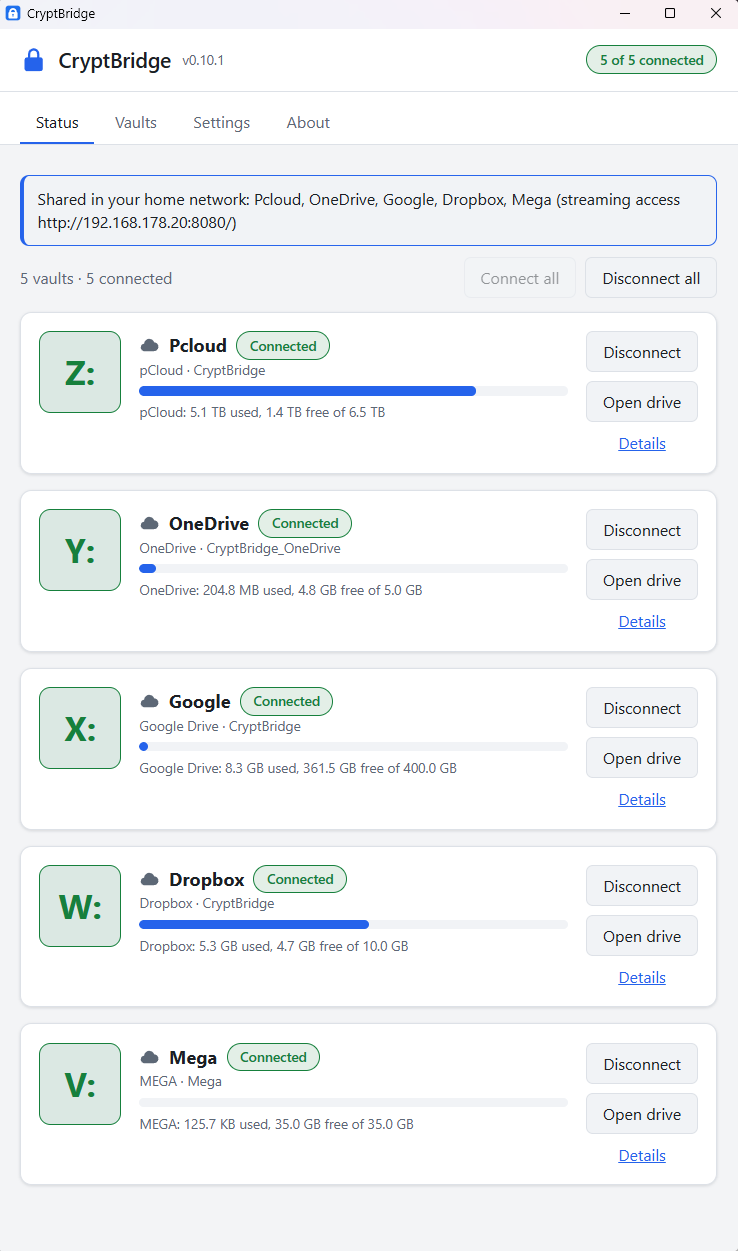
Drives
- Every rclone crypt folder becomes its own drive letter (via WinFsp), several at once
- pCloud, Google Drive, OneDrive, Dropbox and MEGA (the ones I use myself), plus local disks and USB sticks
- Your own client ID / app for pCloud, Google Drive and Dropbox, with step-by-step guides, so you don't share rate limits with everyone else
- Full VFS cache for smooth video streaming; uploads continue in the background, with a warning before you quit while they're still running
- Mounts come back by themselves after a crash or a lost connection
Safety
- Keys are tested before every mount using a small check file in the vault, since a wrong crypt password just shows an empty remote and new files would end up in the vault with the wrong keys
- New vaults are only created in empty folders, never inside another vault or in a folder another vault uses, so an existing vault can only be opened, not overwritten by mistake
- Existing rclone crypt folders work, and an emergency sheet shows the plain rclone commands to open every vault without CryptBridge, so there's no lock-in
- Uses a pinned rclone version (currently 1.75.2), downloaded and checked against a built-in checksum; the rclone config is kept in memory only
- Settings encrypted with DPAPI, plus an optional app lock that unmounts everything and clears the cache
Streaming beyond the PC (optional)
- Share the drives on the home network, with a read-only share for TVs and players (Infuse, Kodi), limited to the private network
- A setup script that turns an Ubuntu/Debian server into an HTTPS streaming server for all vaults (rclone mount + WebDAV, Caddy, fail2ban, read-only)
It's been working really well for me, and I hope it does for others too.
Download and source: github.com/burnersen/CryptBridge
GPLv3, free, not affiliated with rclone. And thank you to Nick and everyone working on rclone, this little tool only exists because rclone is so good!